

In order to update contracts with new rate levels and/or new validity dates, Pricing Manager should use the 'Extend' button.
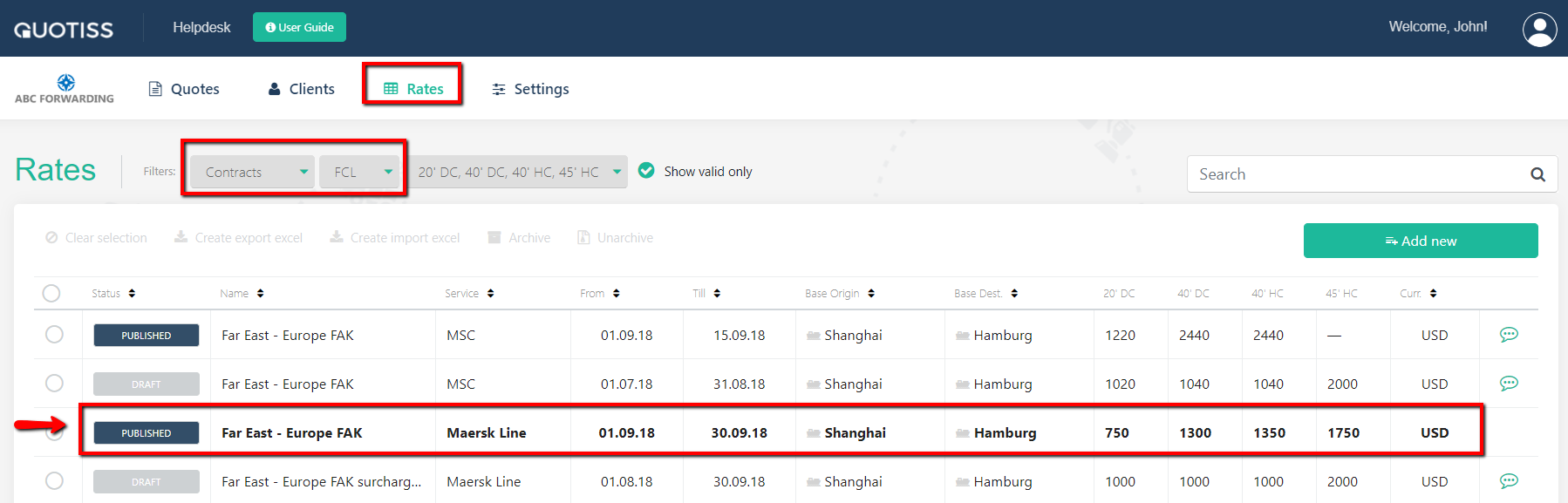
Go to Rates -> Contracts and select the contract you'd like to update from the list. Only contracts in PUBLISHED status can be extended.
Click 'Extend' button:
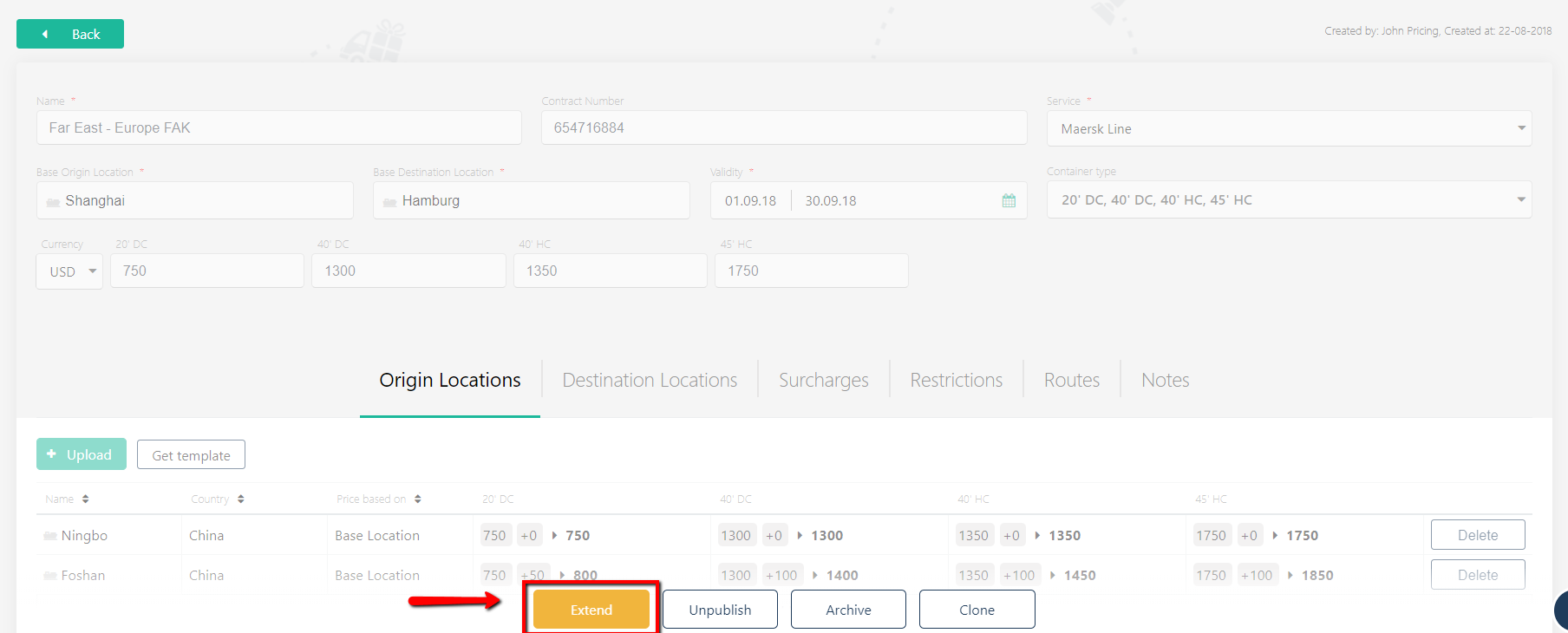
The system will create a new record in the system, and it will be related to the original contract, building the history of rates.
Please use this functionality when the carrier sends revised rates / extends the validity of the previous rates. Quotes will be automatically refreshed with the latest version of the contract, once replicated.
You can also:
- add locations manually or upload automatically,
- add / delete freight surcharges,
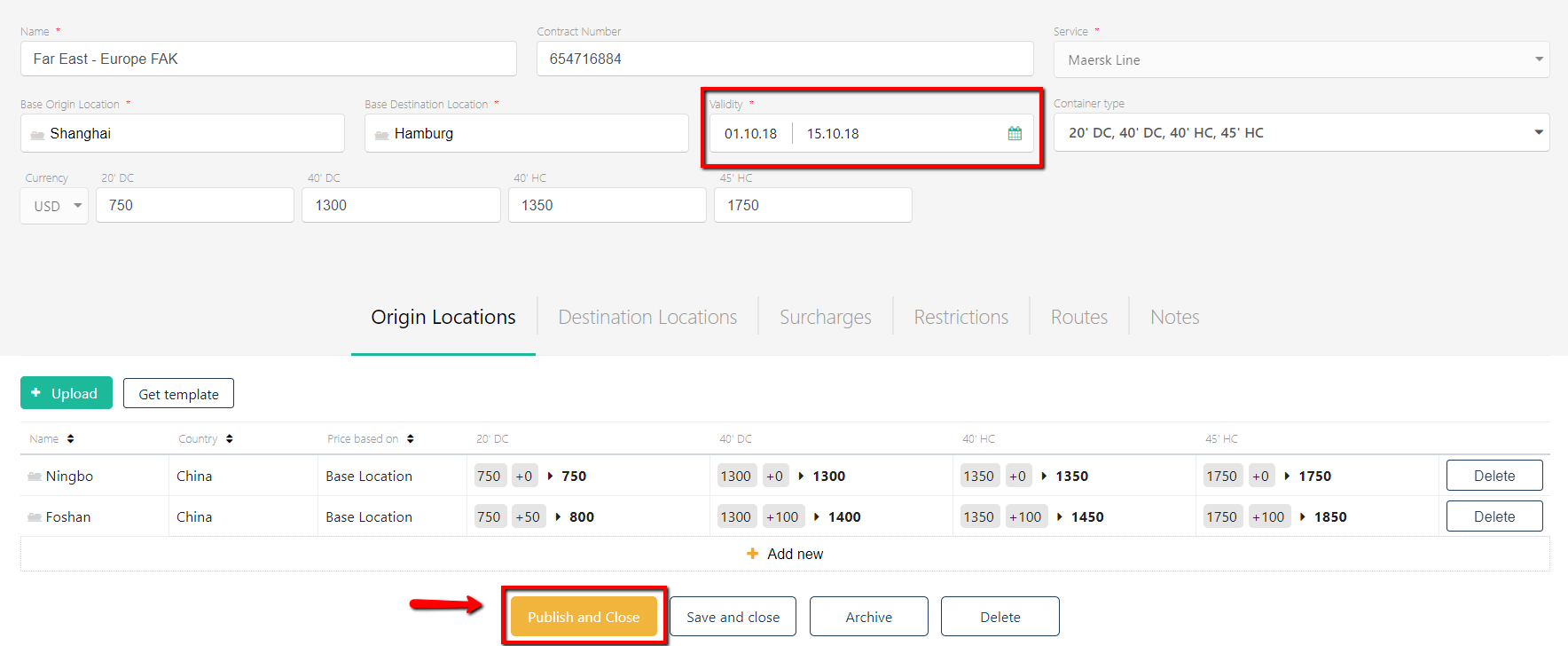
Once you've finished with the update, click 'Publish and Close' - the contract will become available for the sales organization.