

For automatic upload - please follow this instruction
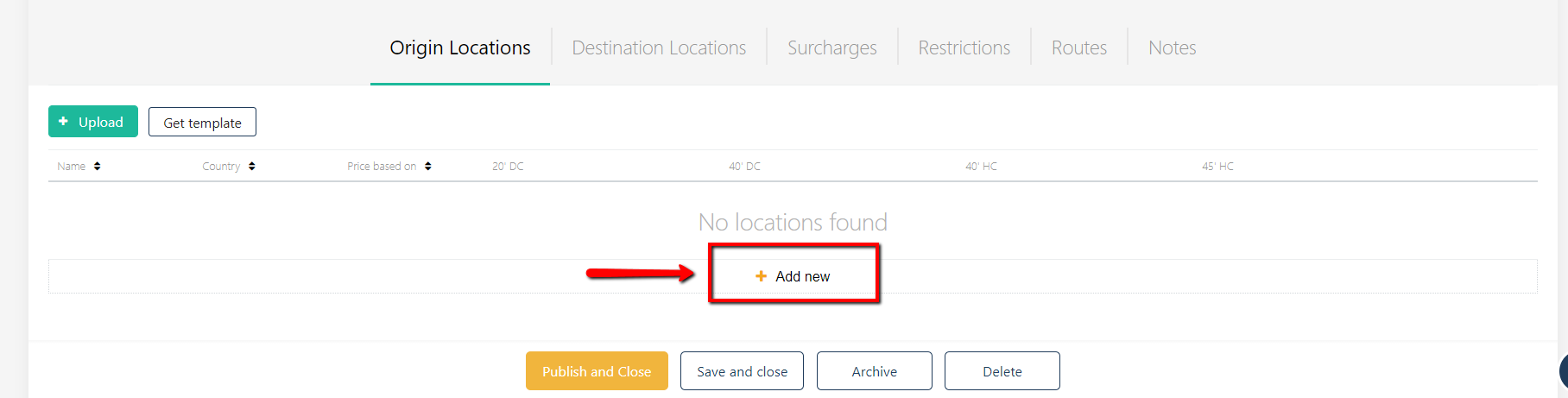
For a manual update, open the contract draft, where you'd like to add locations. Please click 'Add New' button and select your location name from the drop-down list:
In a linked contract, by default, the rate will equal the BASE RATE for this contract. You can edit the rate by applying a margin on top of the BASE RATE.
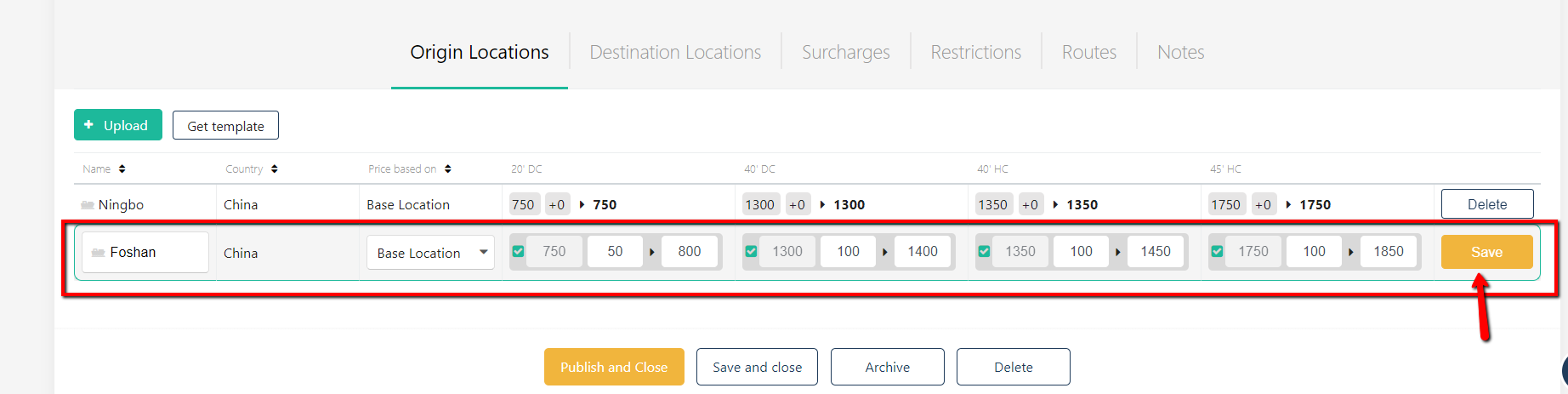
In the above example, Ningbo rate equals Shanghai, and Foshan is 50 / 100USD more expensive than Shanghai.
Once done, click 'Save' button. In order to delete the origin port - click on 'Delete' button.