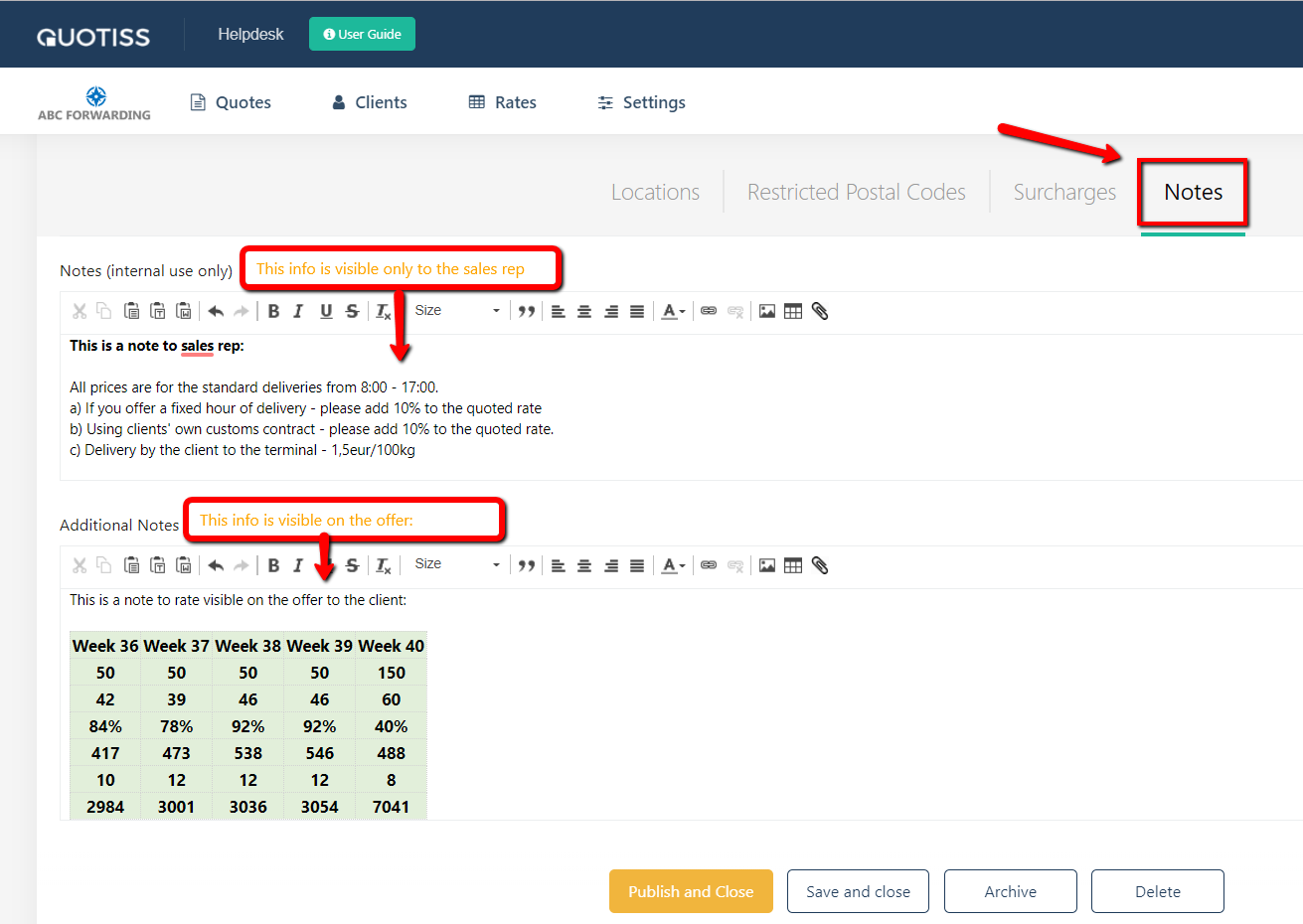
Go to Rates => open the contract and make it editable (click Unpublish button) => go to Notes tab.
There are 2 places to add information:
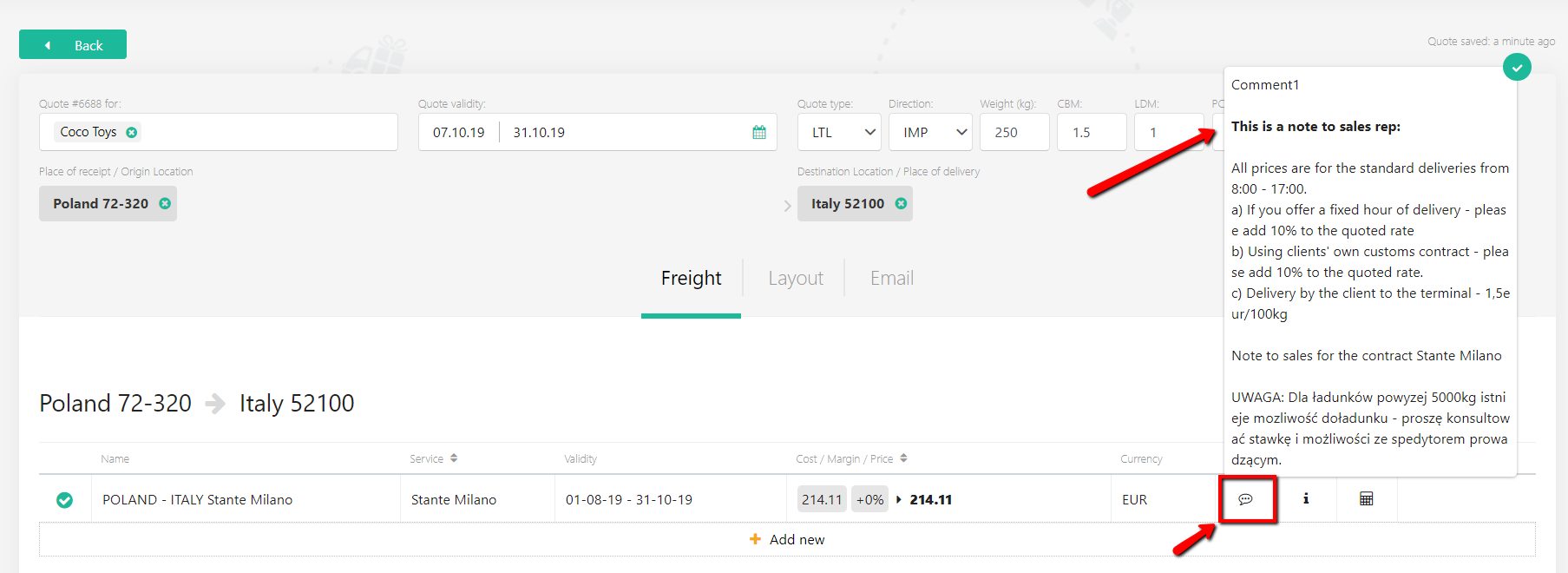
1) Notes (internal use only) - add here information for sales. It will be visible as a comment to the rate when they select it in a quote.
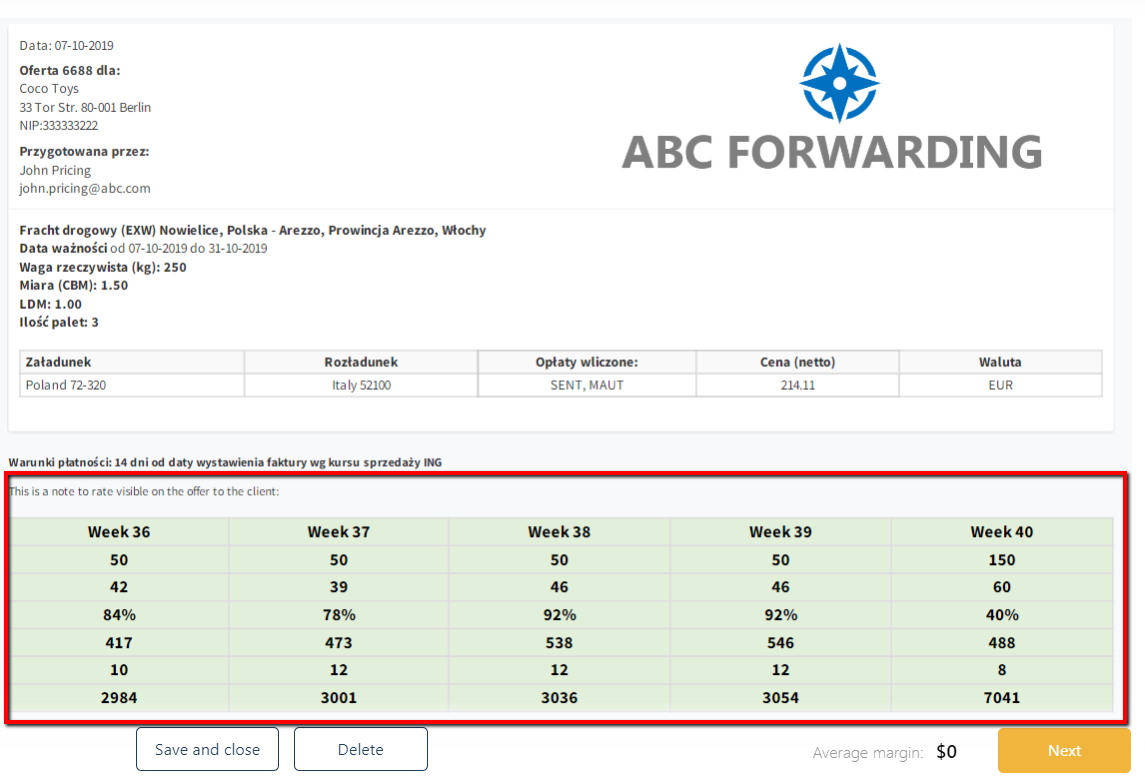
2) Additional Notes - add here information that will appear on the offer. You can add a table from excel, free text, or an image.
NB: you can add notes to any contract type in the system. All notes from all selected contracts will be displayed to the sales rep and/or client.
Once done - Publish the contract.
Notes to sales will appear here in this place:
Note to the client will appear on the offer: