

Terms & Conditions are defined on the company level by the Administrator. To manage terms and conditions, follow the next steps:
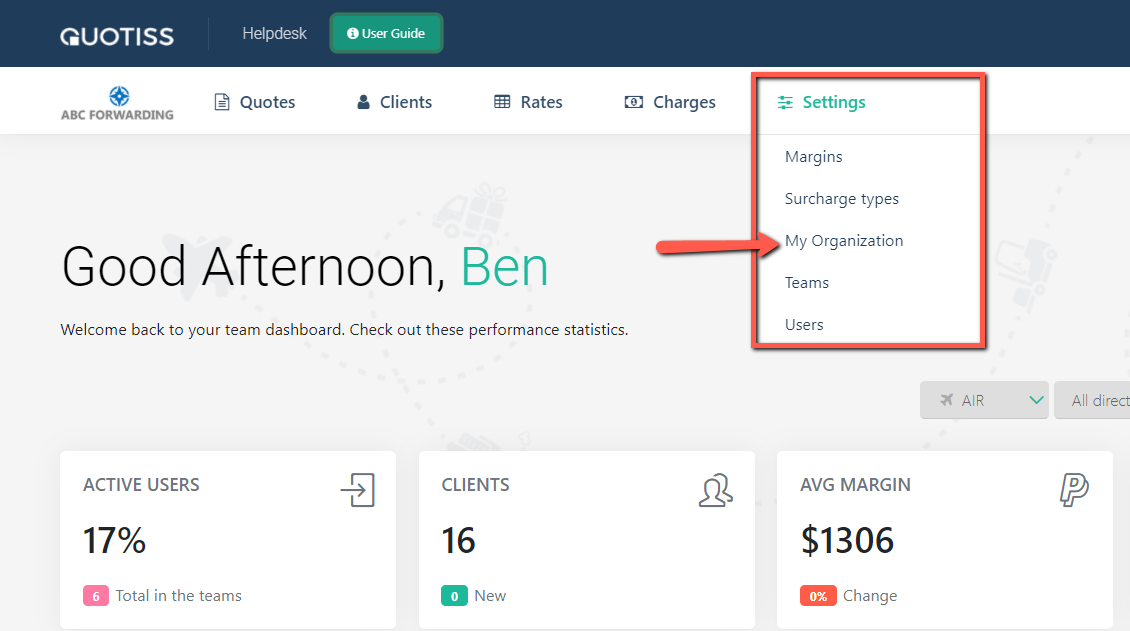
Go to Settings on the menu and click on My Organization
Go to 'Terms and Conditions' Tab and select the language and quote type from the dropdown:
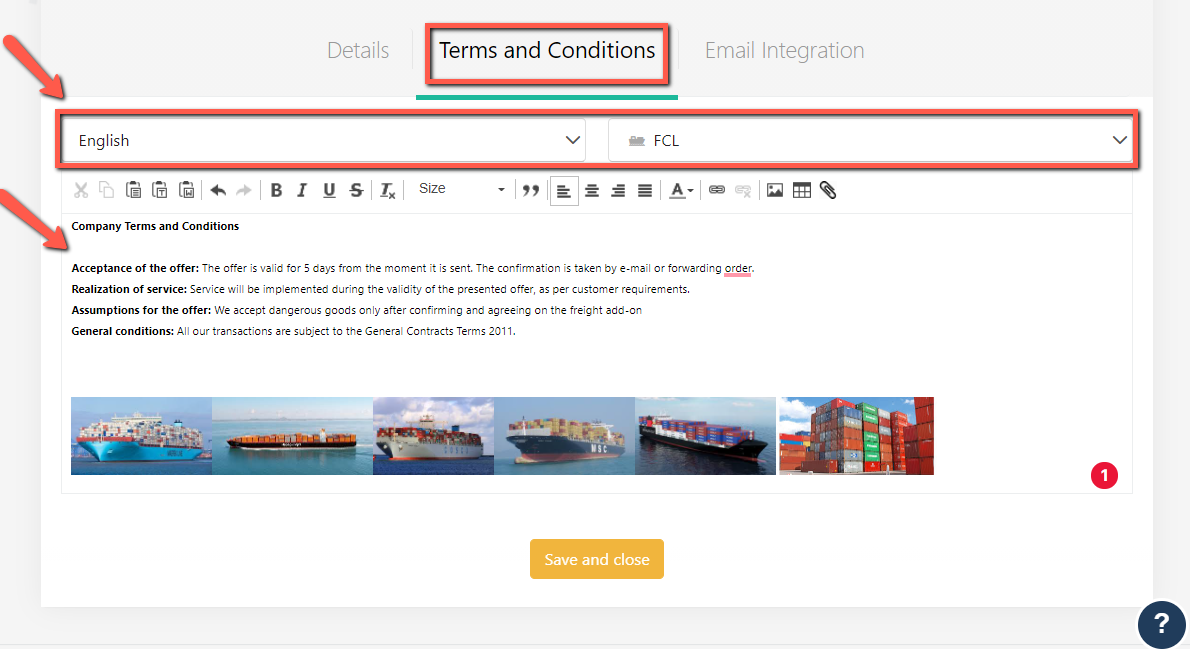
The editor will open. Update text, add pictures - use the editor options to format the text. Please add separate T&C for each language and quote type.
You can also set separate T&C for a location (export or import). You can find the user guide here.