

Quotiss can be easily integrated with the users' mailbox.
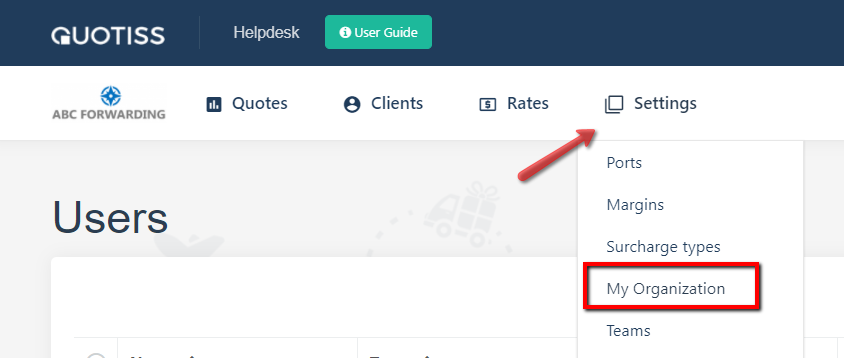
Go to Settings => My Organization:
To enable email integration in your company, please update the following information (see example):
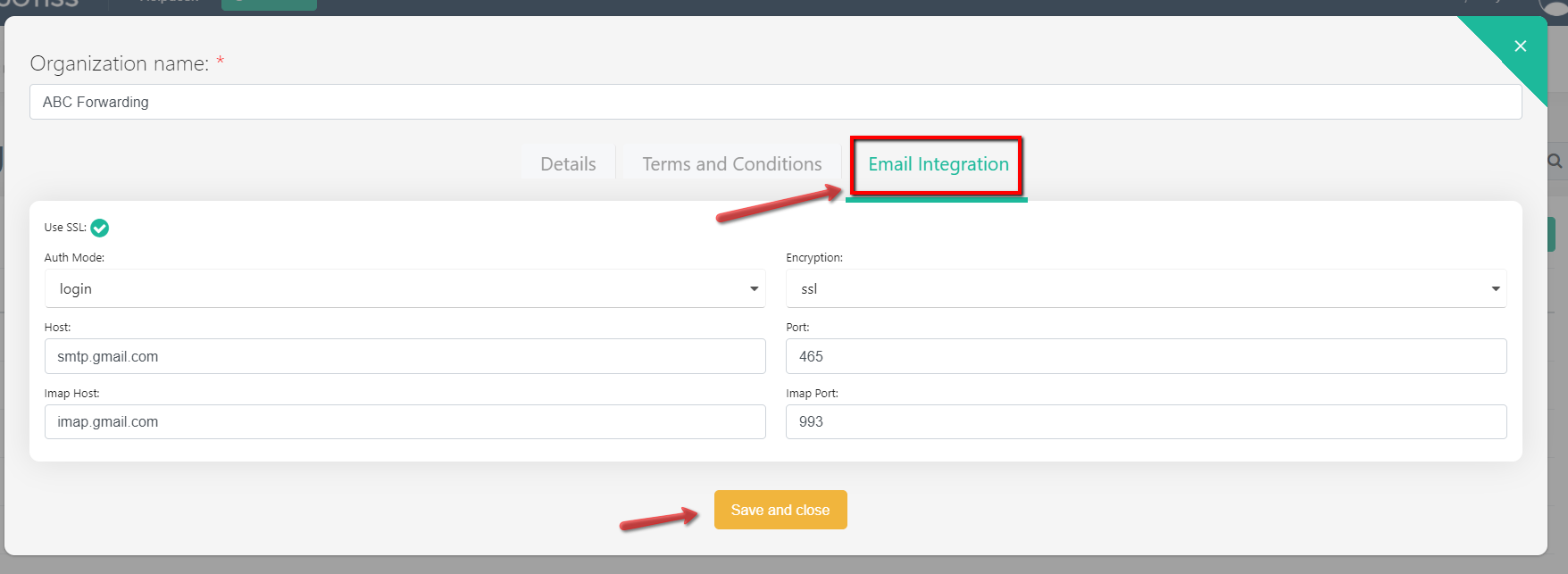
Once the email server data is updated, every user should go to their Quotiss profile and 'Enable' their own mailbox integration, following this guide.
Once integrated, all quotes sent via Quotiss will appear in the outgoing email folder of the standard mailbox used in the organization. You will be able to continue the correspondence with your client directly from Quotiss.
NB: In the case when email integration is not enabled, emails will be sent from no-reply@quotiss.com, and will not appear in the 'Sent Items'.