

Logo

What are you looking for?

Get help straight from the team at Quotiss...

How to add terms and conditions for a location?

Freight Rates and Local Charges

How to add terms and conditions for a location?

In case you want to specify a special information for import or export cargo in a specific location

Last updated on 28 Dec, 2020

Location terms and conditions will only appear on the offers generated for this specific location.

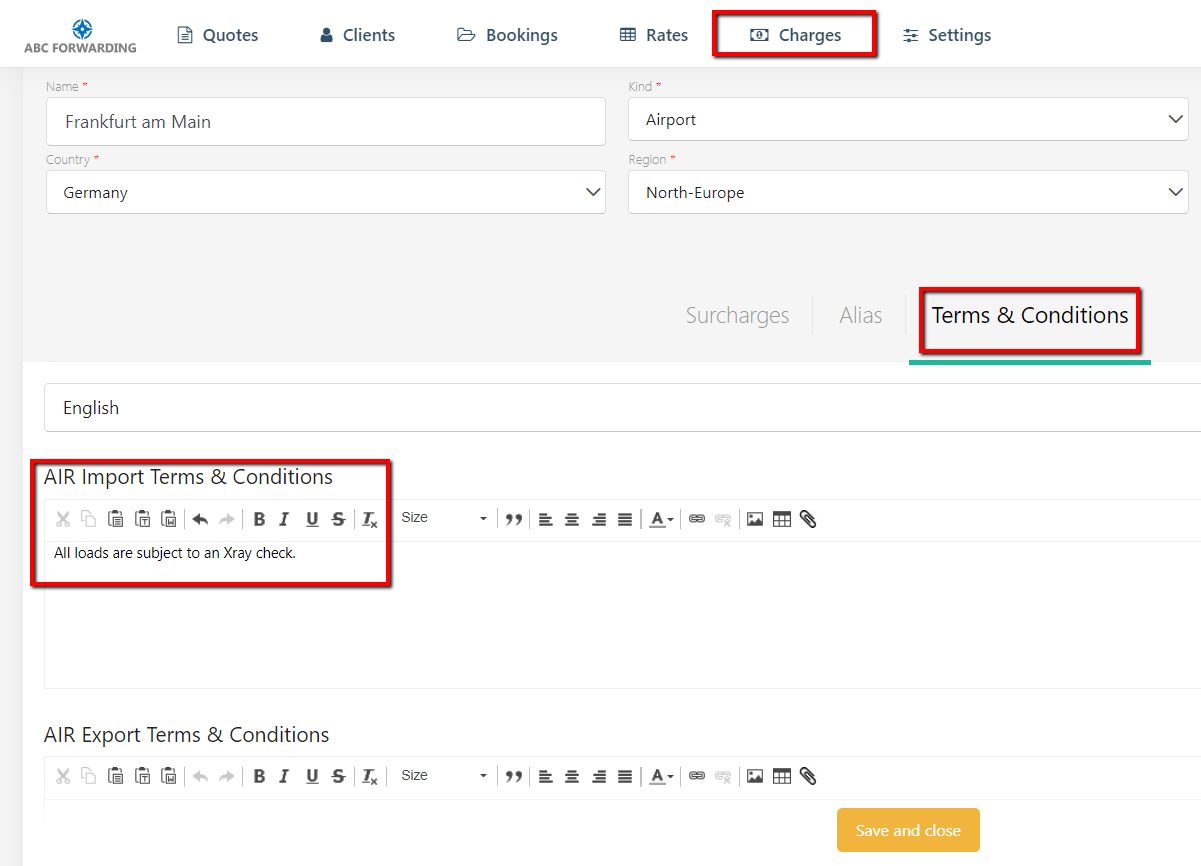
Go to Charges and choose a location. Open the ā€˜Terms and Conditions’ tabHere you can add terms and conditions for Import and Export separately.
Image

This is a free text field, but you can also insert a table, picture, or a link, using the special buttons.

Once done, click the 'Save and Close' button. Your changes will be saved.

Did you find this article helpful?
Previous

How to add a default margin to the contract?

Next