

Add a new local charge to the port (airport, etc):
Go to Locations => Charges, and use the Search field and filters to find the location on the list:

Click on the location name to open it, you will see a new column added to a standard table:
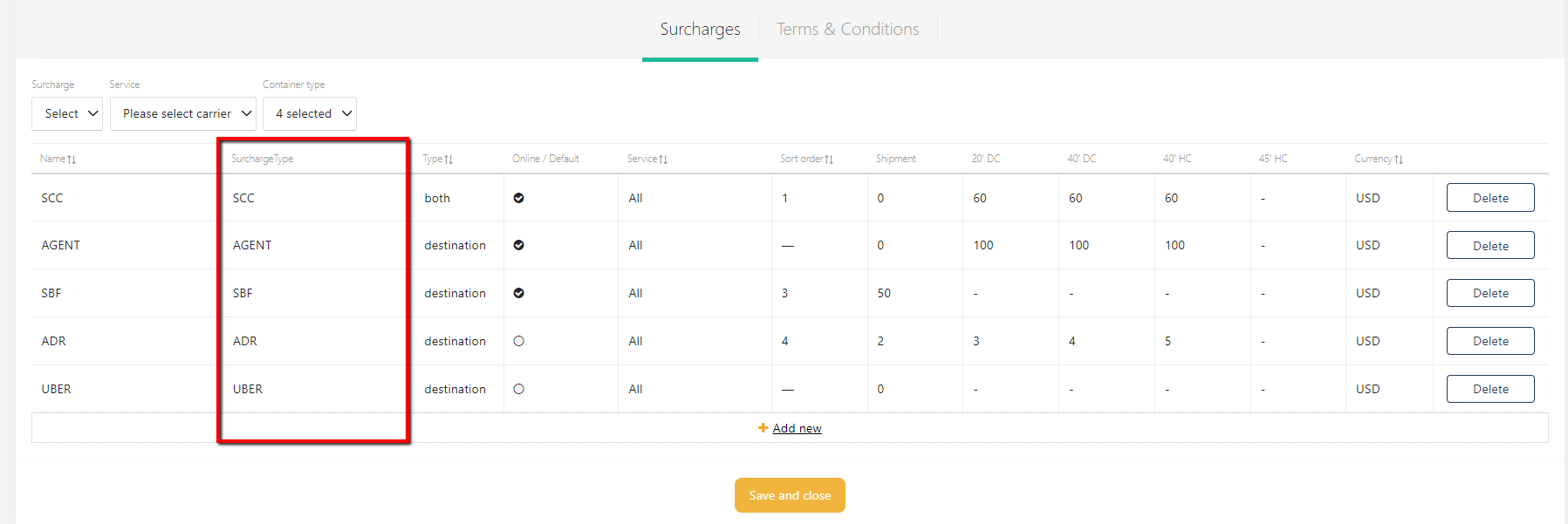
NB: For the old records, to ensure the soft transition, the Surcharge type duplicates the previously used surcharge name and it is pre-filled for the migration purpose. No action is needed.
For the new charges to be added, or for the charge amendments, Surcharge Type will be mandatory. Please ensure the Surcharge type is created.
Once the Surcharge Type is created (and translated, if needed), you will find it on the drop-down menu. Please select it and proceed to add values and other parameters.
Local charges should be updated separately for Sea Ports, Rail Terminals (FCL & LCL), Airports, and Road Terminals.
Click on the location name to open it, and press 'Add New' button.
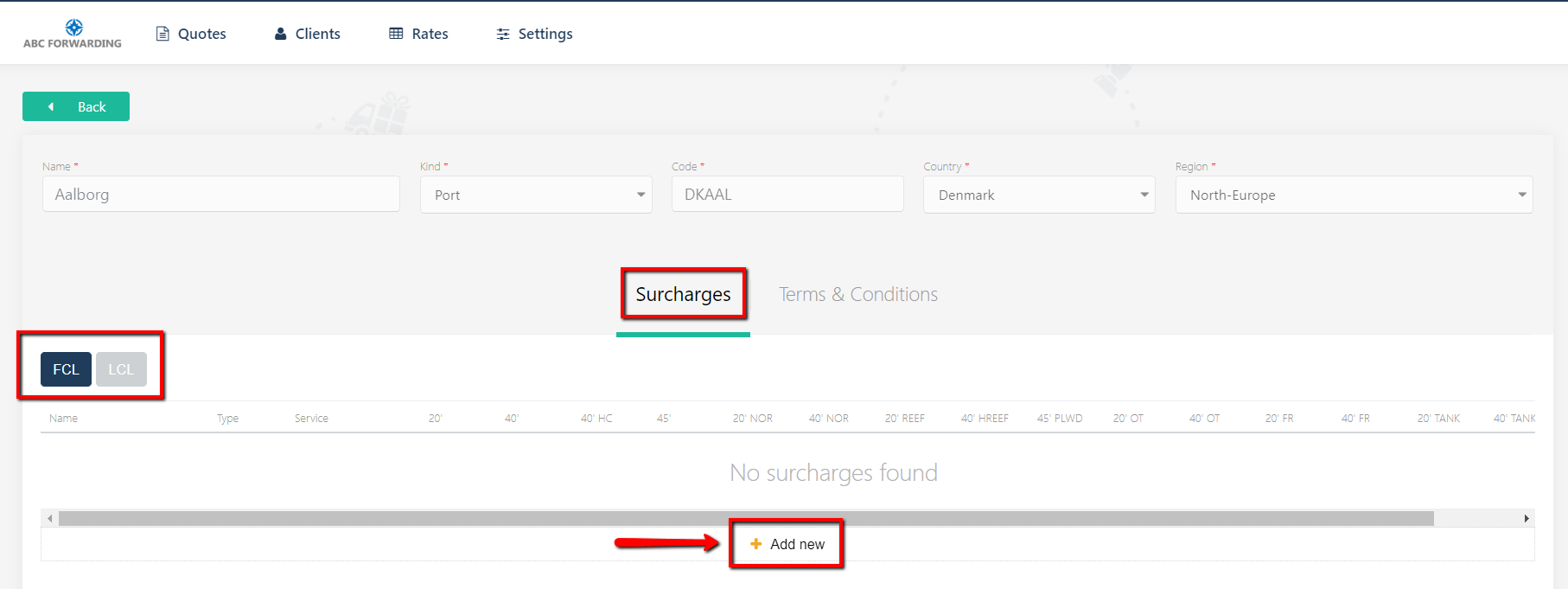
For FCL:
Type the charge name, indicate if it is an import or export charge or both (will be added to import/export quotes respectively), select the service name, update the values for the specific container types or per shipment, and select the currency.
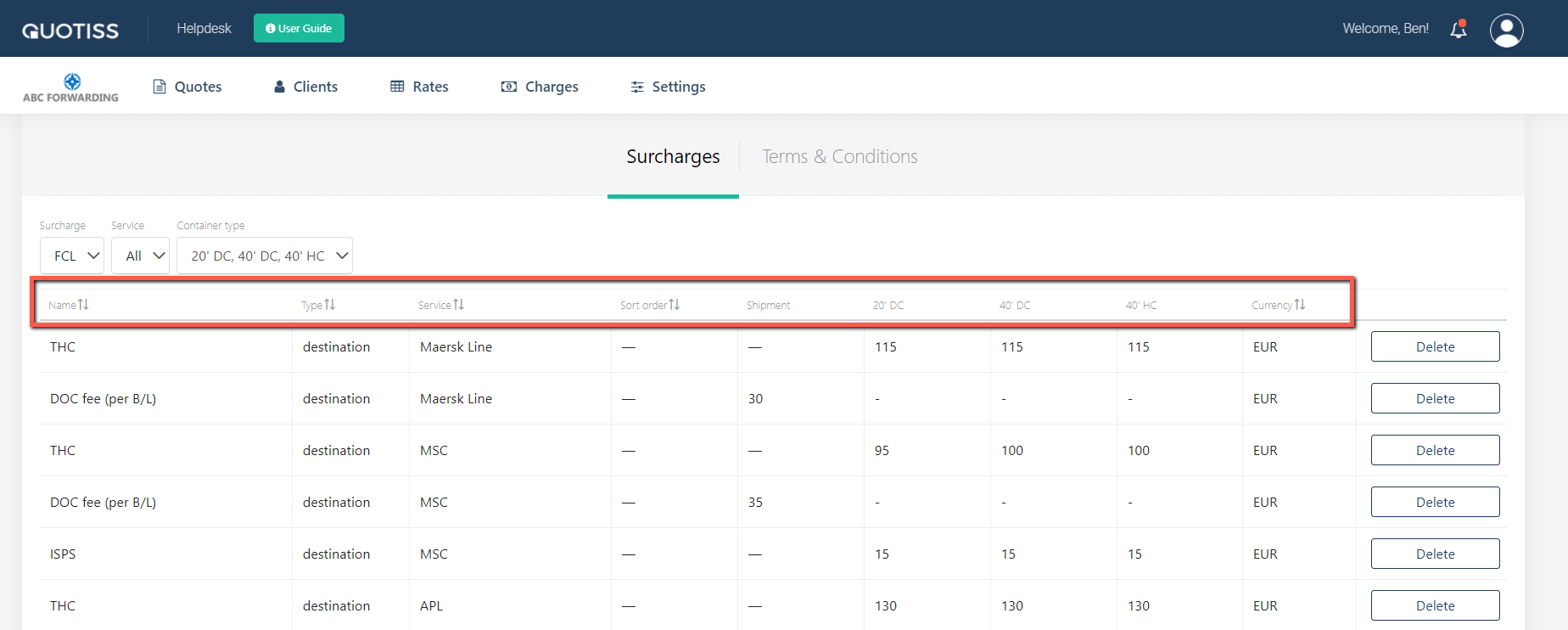
NB: You can also add the sort order if it is important to list the charges in a specific order on the quote.
For AIR / LCL:
Update charges by actual or chargeable weight or per shipment, and set min and max levels:
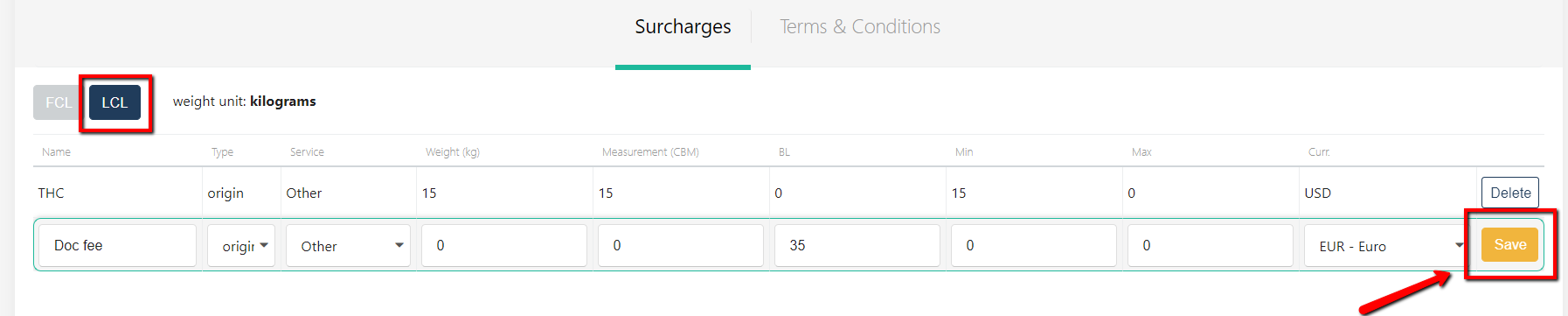
Click 'Save' once done.