

In order to send message to Quotiss users, go to Settings -> Users, and select the people from the list. Helpful tip – use the checkbox at the top to select all:
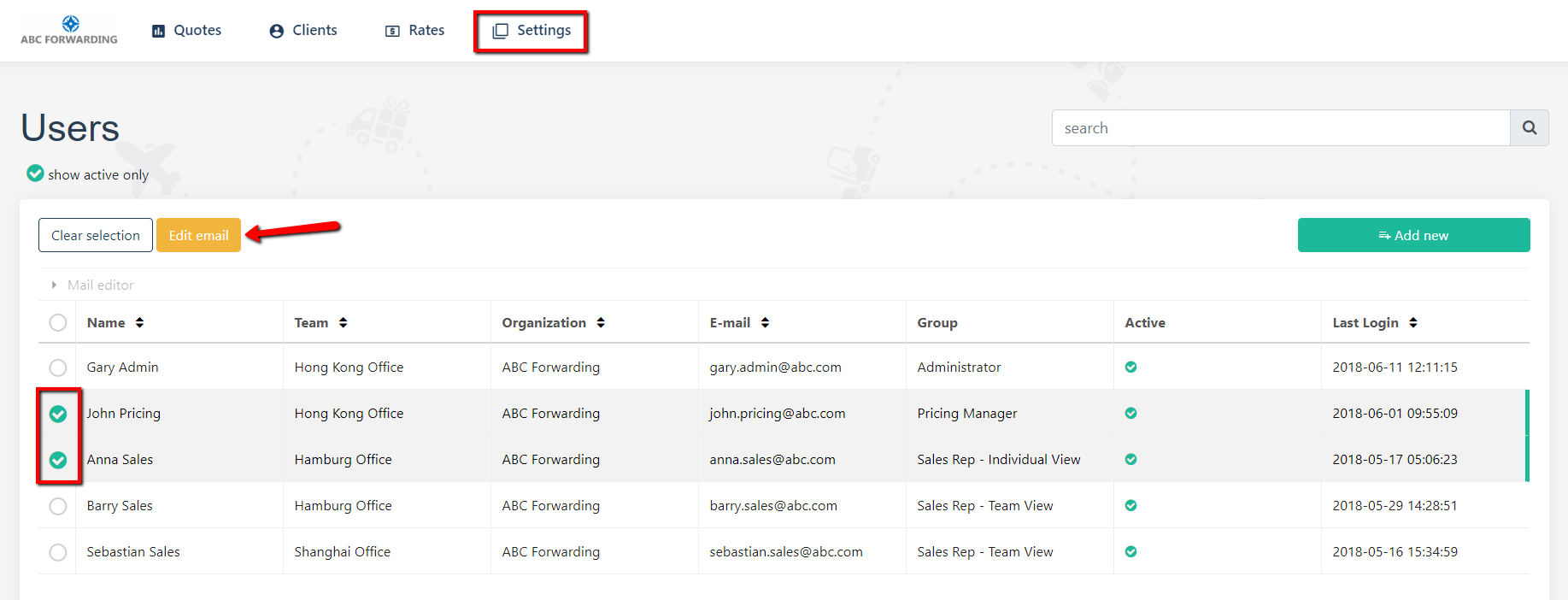
Click ‘Edit Email’ button. You will see the preview of the email. Please update the subject and body of the email. Use special buttons to add a link, picture or attachment.
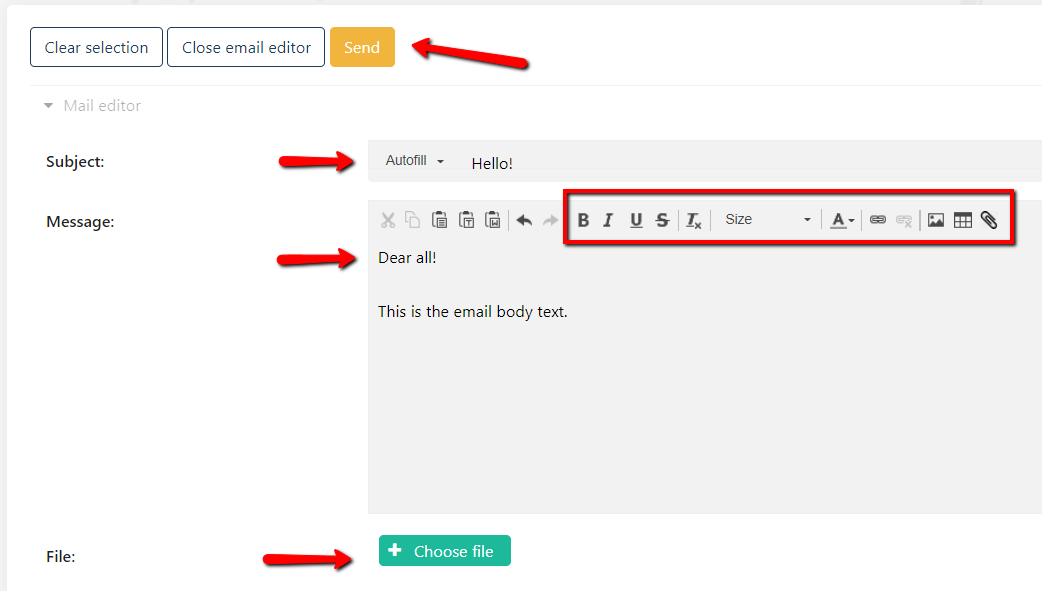
Once everything is completed, click 'Send’.