

Pricing Manager is able to download all contracts from Quotiss into the friendly Excel format. This file can be used to double-check if updates are ok or to share with the organization internally (for example, with the finance team or operations team).
In order to download rates to Excel, please go to Rates and select the contract(s) you'd like to download:
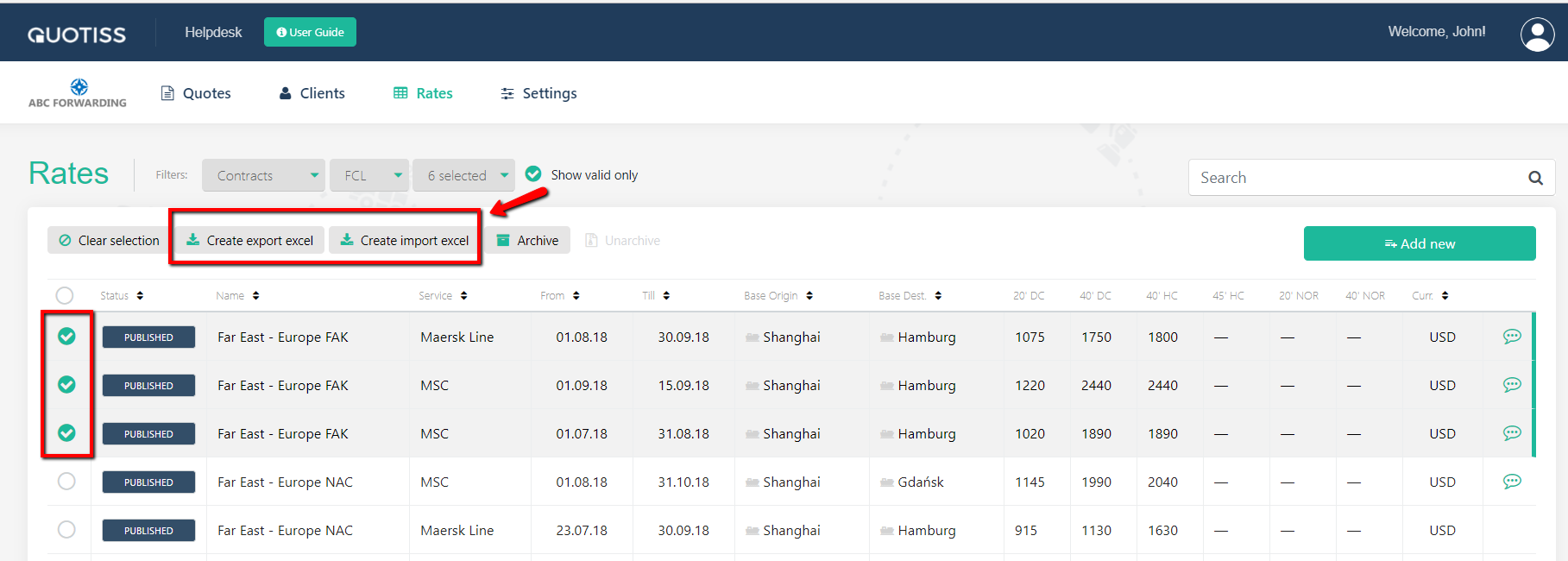
1) By selecting 'Create Export Excel' the file will be showing a list of destination locations split by origin.
2) By selecting 'Create Import Excel' the file will be showing a list of origin locations split by destination.
Here is an example:
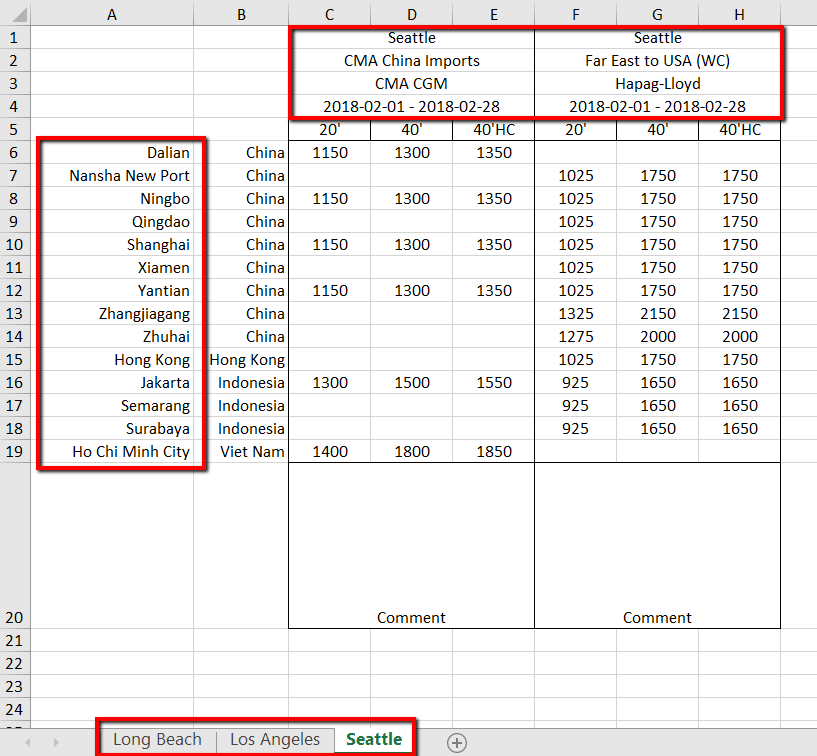
The rates in the Excel file will include all freight surcharges and show the split at the bottom of the file. The file will also include the Internal Comment to each contract.