

Definition:
Freight surcharges are surcharges included in the freight rate and paid with freight. Can be added on top of the basic freight in contract and spot rates.
Local charges are related to the specific location (port, airport, etc) and are not directly related to freight.
Both types of charges should be first added in Settings => Surcharge Types.
1. Create a new freight surcharge or local charge:
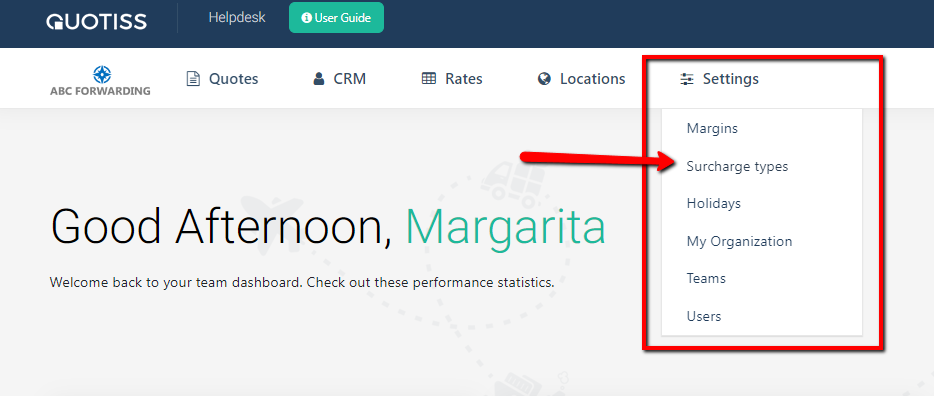
Go to the Settings, open Surcharge Types tab, and click 'Add New':
Type the name of the new surcharge and click the 'ADD' button. You can also add 'Comment':
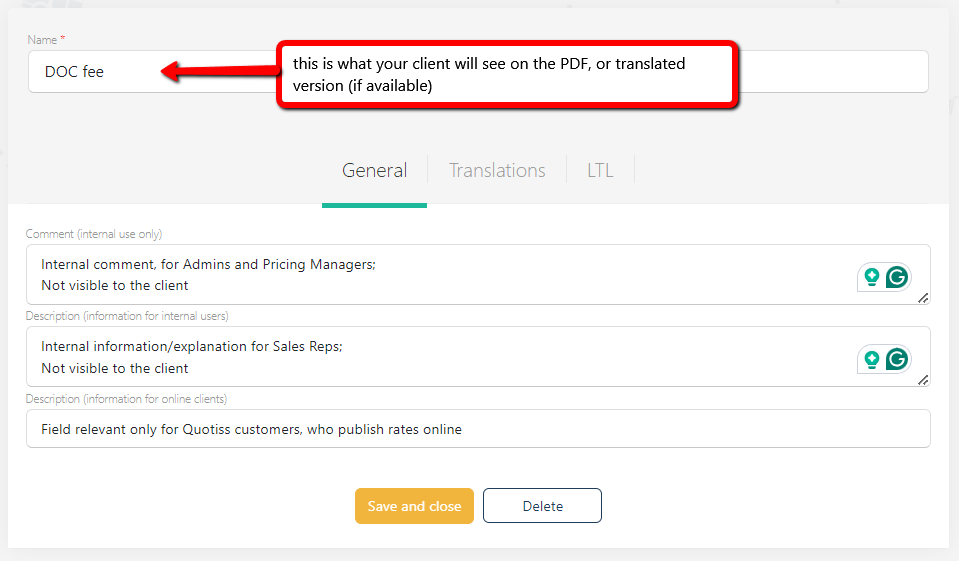
(NEW!) Translations of the charge names
You can now translate the names of your surcharges and local charges into different languages.
Go to the Translations Tab, select the language from the list, and enter the name of the charge in a different language:
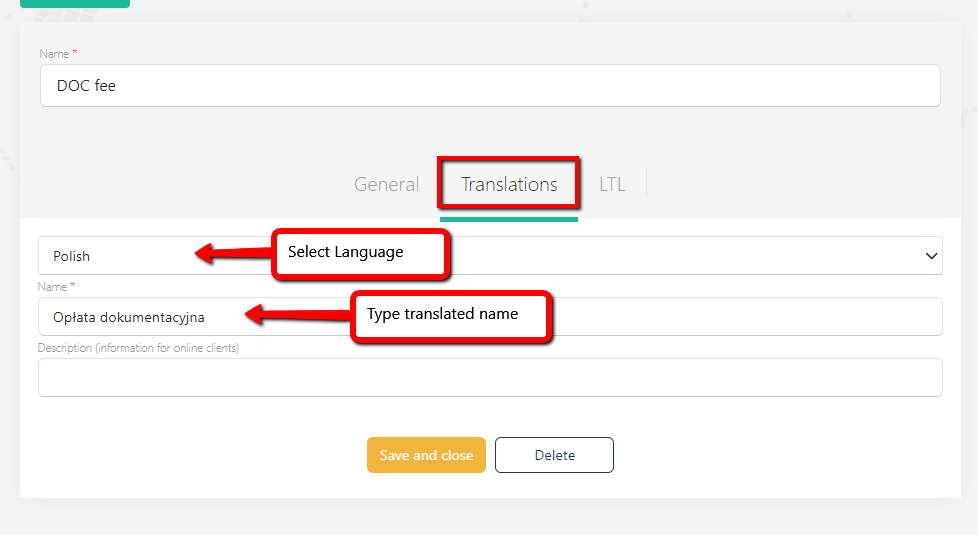
The system checks for available translations depending on the language settings for each customer, if your customer profile is set as 'Polish', then the customer will see 'Opłata dokumentacyjna' as a charge name on PDF quote instead of 'Doc fee'.
This is an optional feature, if no translations are added, the general charge name will be taken.
2. Add a new surcharge to the contract (no changes):
Please open the Contract, go to 'Surcharges' tab, and click 'Add New' button. Please select surcharge name from the drop-down list and update the values accordingly:
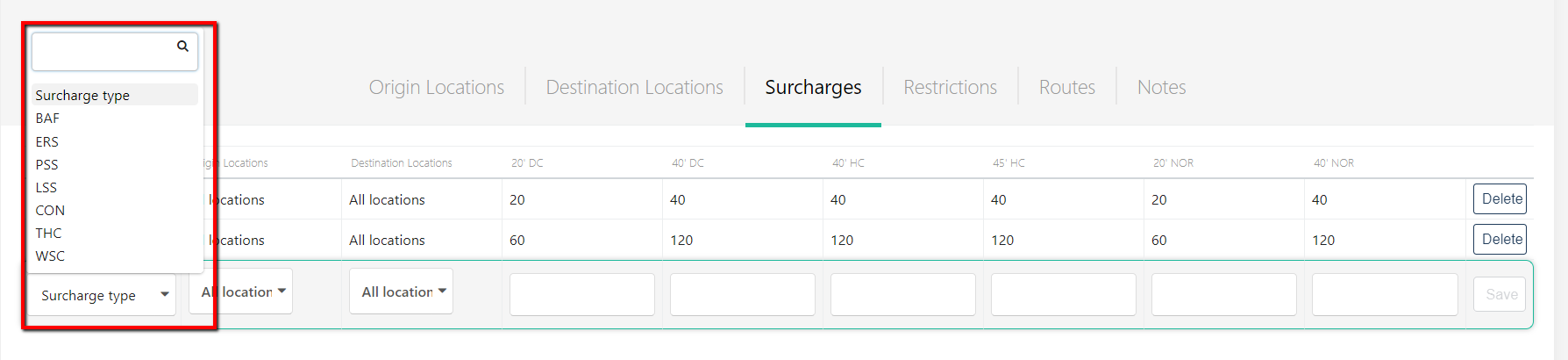
You can also select which origin/destination locations this surcharge applies to. The currency of the surcharges is set in the currency of the contract.
Click the 'Publish and Close' button once done to make the contract available to the organization. To delete the surcharge, please click the 'Delete' button.
3. (NEW!) Add a new local charge to the port (airport, etc):
Go to Locations => Charges, and use the Search field and filters to find the location on the list:

Click on the location name to open it, you will see a new column added to a standard table:
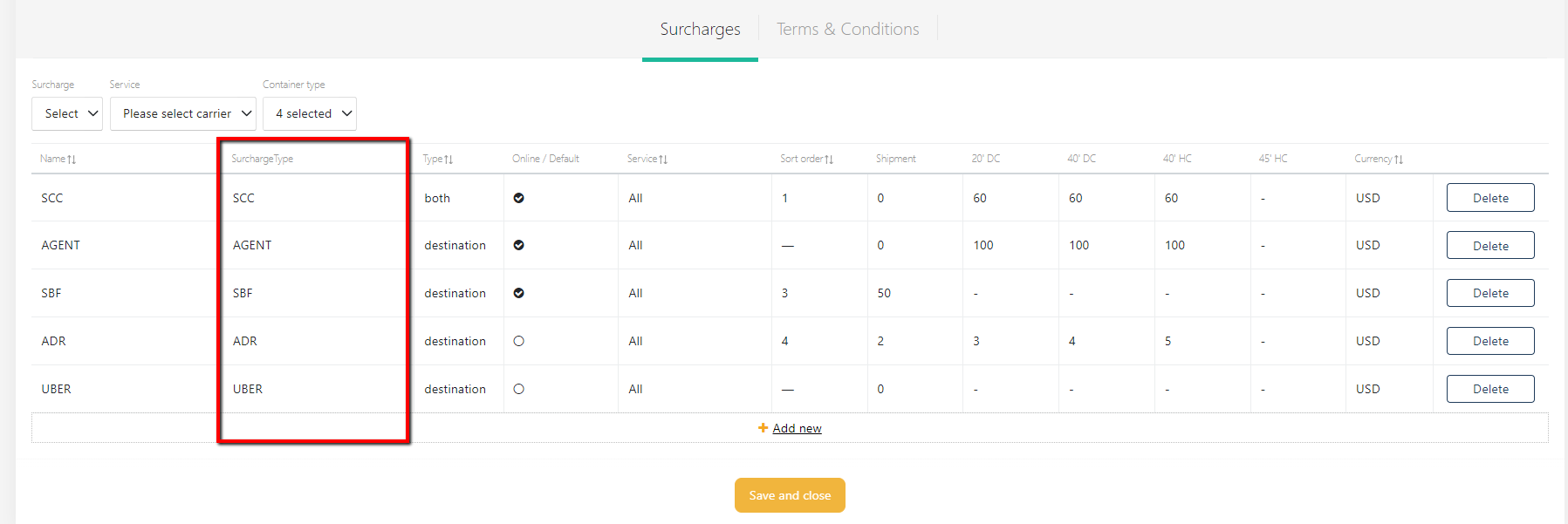
NB: For the old records, to ensure the soft transition, the Surcharge type duplicates the previously used surcharge name and it is pre-filled for the migration purpose. No action is needed.
For the new charges to be added, or for the charge amendments, Surcharge Type will be mandatory. Please ensure the Surcharge type is created (step 1 above).
Once the Surcharge Type is created (and translated, if needed), you will find it on the drop-down menu. Please select it and proceed to add values and other parameters using this guide.