

The Administrator should preset the default insurance % in Quotiss Settings, to enable Sales Reps to use this functionality in quotes.
Go to Settings => My Organization and scroll to the bottom of the Details Tab.
It is possible to configure several parameters for the organization:
1) Insurance value multiplier (%)
This is usually set at 110%. This value is fixed for the entire organization, and can not be edited on a quote level.
2) Insurance rate (%)
This rate can be updated, for example as 0.095. This value can be edited on a quote level.
3) Minimum rate + Currency
If updated, this will be the minimum insurance cost displayed on a quote. Do not forget to select the right currency.
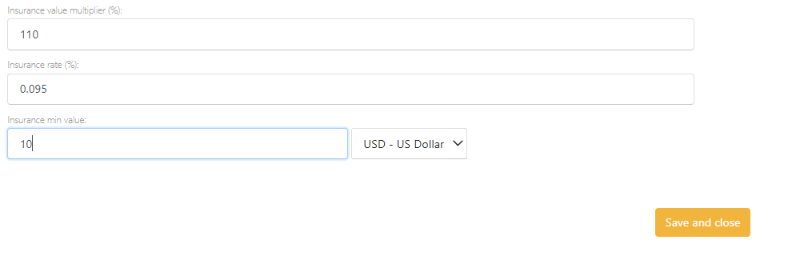
Once updated, click Save and Close.
Now insurance can be added to quotes automatically. See this guide to learn how to use it.