

Once the Freight and Charges are updated, you can check the Layout of the quote.
To see the quote preview, please go to Layout tab. There is a list of options which you can edit in the quote layout at this stage:
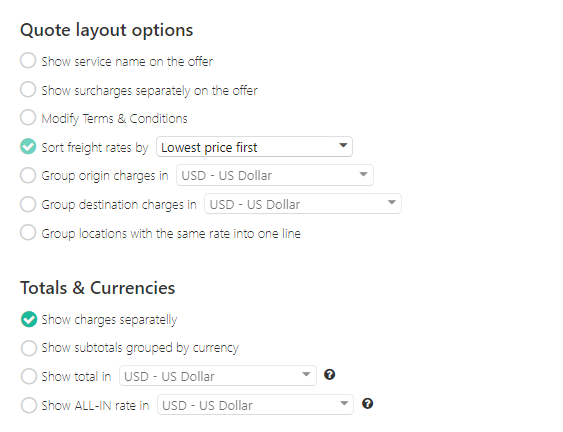
Quote Layout Options:
- Show service name on the offer
- Show surcharges on the offer
- Group origin and destination charges
- Group locations with the same rate into one line
Totals & Currencies:
- Show all charges separately (default option)
- Show subtotals grouped by currency
- Show total in the selected currency
- Show ALL-IN rate in the selected currency
- Show Grand Total in the selected currency
You can go back to the Freight and Charges tabs and make changes, once you get back to the Preview - all your recent changes will be reflected.