

Once the Freight and Charges tabs are updated, you can go to the Layout tab of the quote.
NB: this option is only available for quotes that contain one port pair (one origin and one destination).
Select "Show Grand Total in the selected currency" and pick a currency from a drop-down list. Then enter the number for each container type, e.g. "5" for 20'DC and "2" for 40'HC:
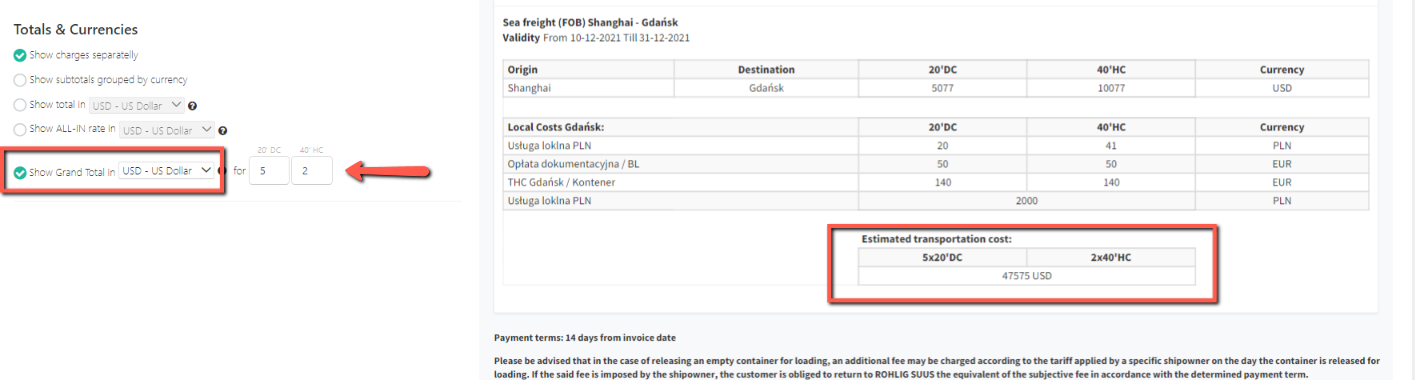
The quote preview will be refreshed and the Estimated transportation cost will be calculated as a Grand Total for the selected number of containers. All freight and local charges will be converted into one selected currency and summed up as Total Freight per shipment.
All costs 'per container' will be multiplied by number of containers, and all costs 'per shipment' will be added to the amount just once.
You can always remove Grand Total by 'unticking' the box.