

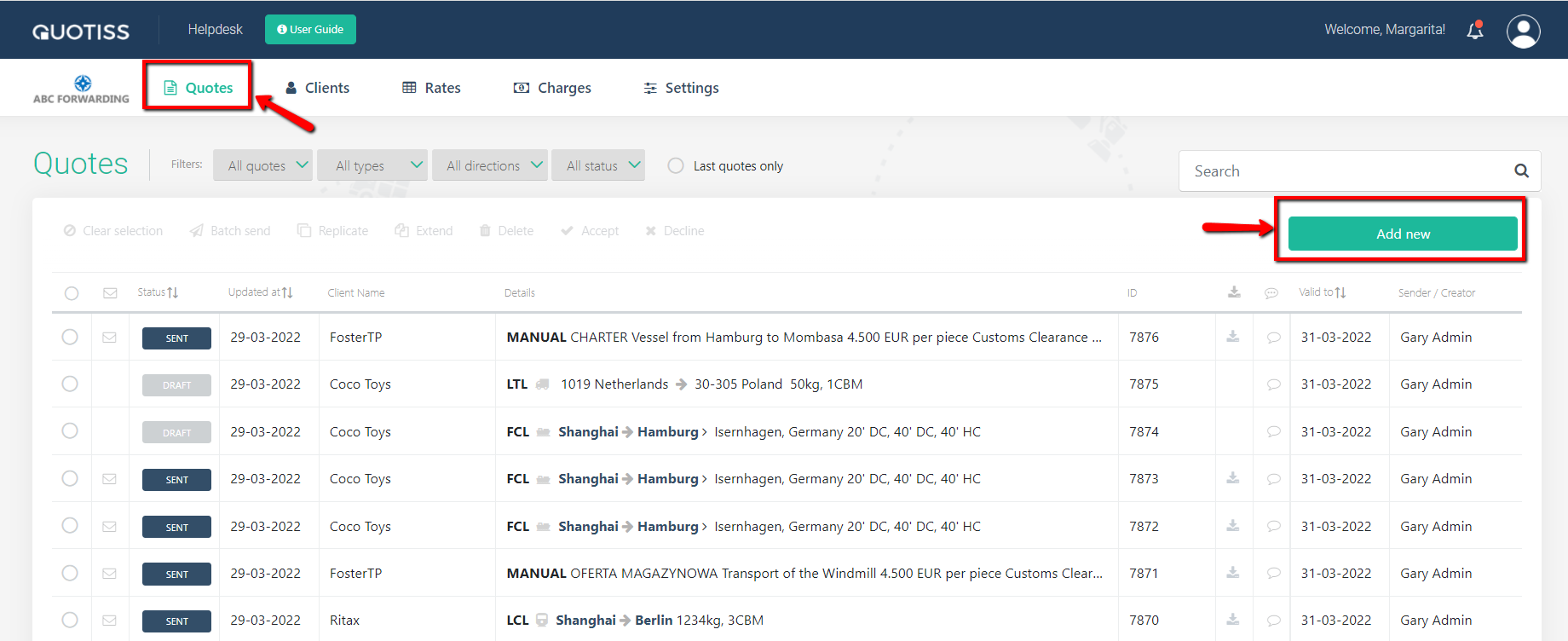
In order to create an air freight quote, please go to Quotes in the main menu and click 'Add New':
Start with the quote header:

Please select a client from the database (if the client is new, please create a new client first), then set the quote validity date.
Note:
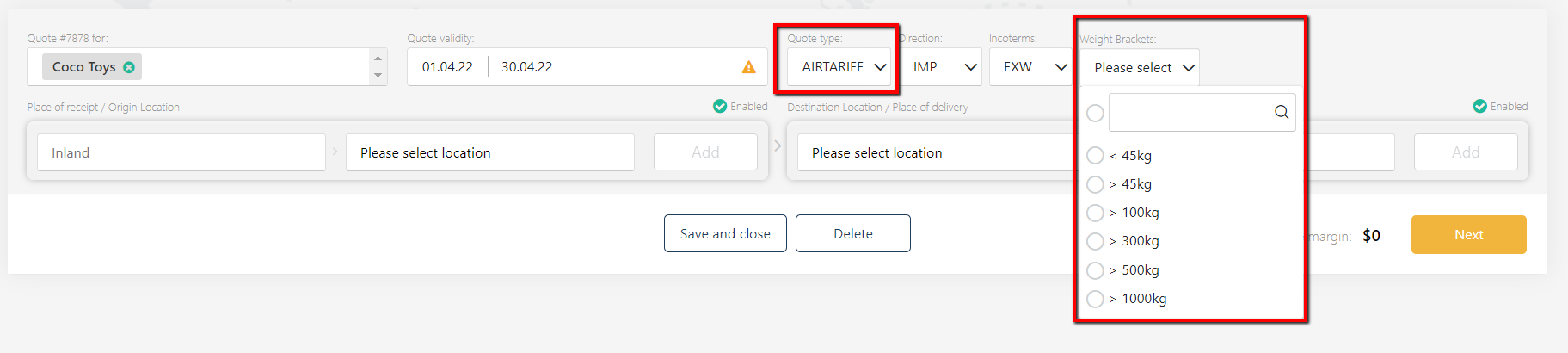
In the 'Quote type' field you may select AIR or AIR TARIFF. Use AIR when you want to quote a shipment with known parameters (weight and dimensions). Use AIR TARIFF when you want to quote the price per kilo for a few weight brackets.
Then add a direction (import or export), and select the right Incoterms.
1) QUOTE TYPE = AIR
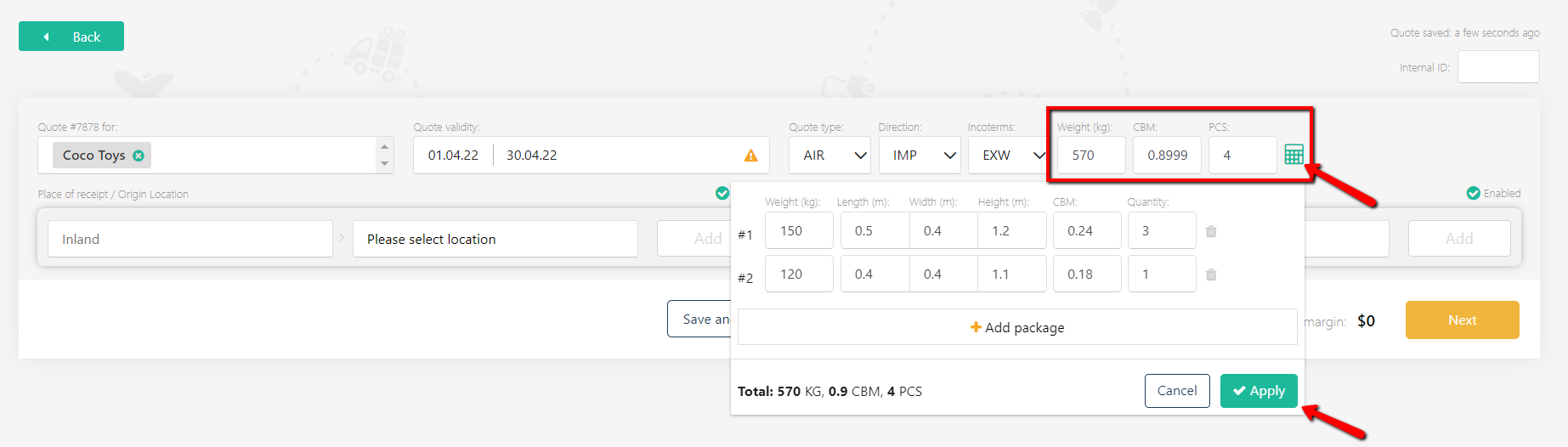
You can type the exact dimensions of the shipment or use the 'calculator' icon to add parcels one by one so that the total shipment weight/measurement will be calculated by the system automatically.
Then add origin and destination airports, and pick up and delivery locations optionally:

Then select a rate from the list of tariffs or add a spot rate:
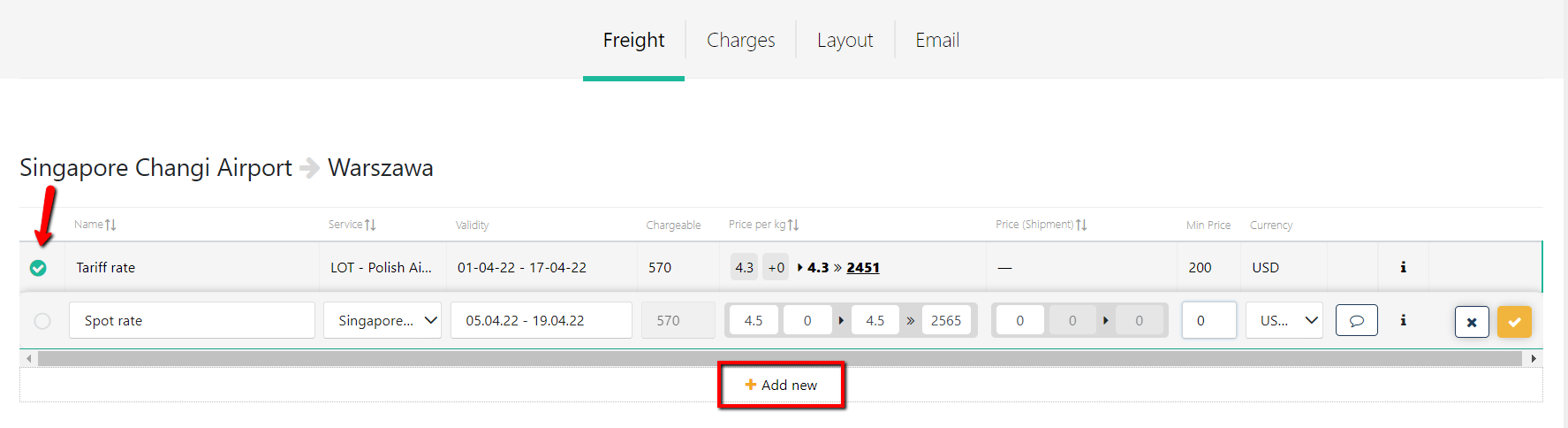
The system will automatically calculate the chargeable weight and total price per shipment. For the next steps, skip to the bottom of the article.
2) QUOTE TYPE = AIR TARIFF
You can select one or more weight brackets from the dropdown list to quote AIR TARIFF rates to your client / agent:
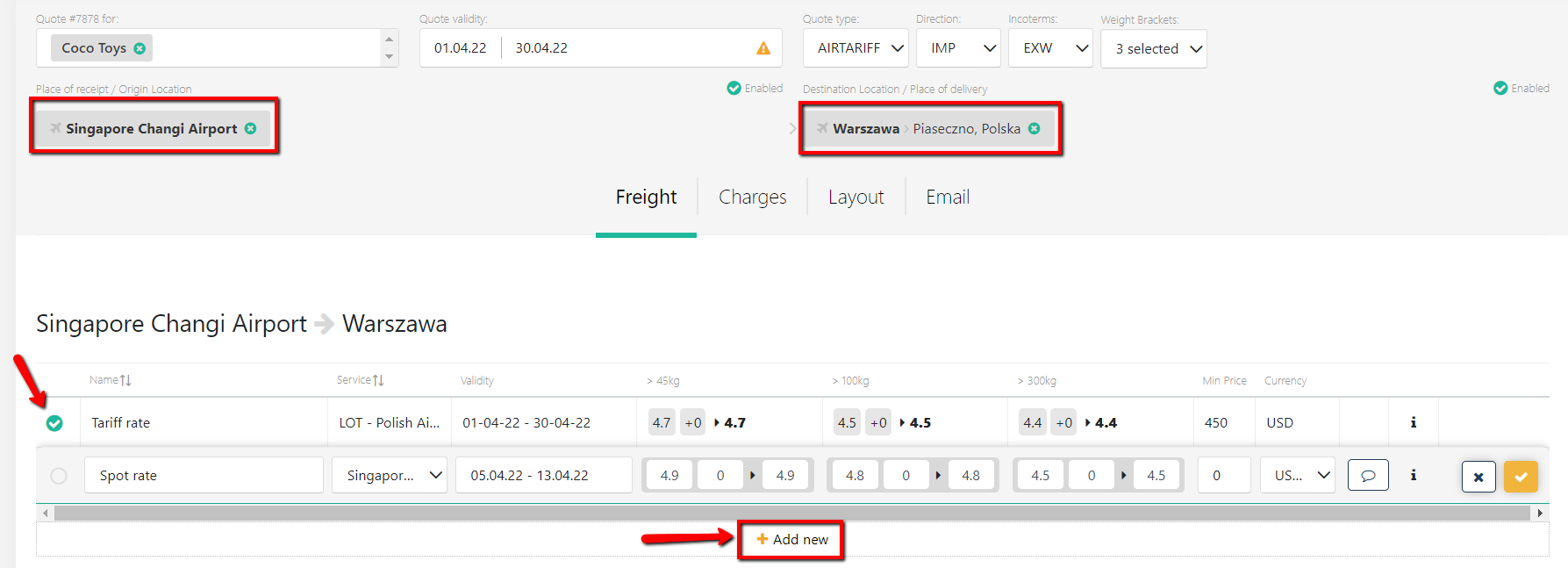
Then add origin and destination airports, and pick up and delivery locations optionally and select a rate from the list of tariffs or add a spot rate:
The next steps for both quote types include:
- send a quote.
Please follow the above links to learn more.