

With Quote Calculator you can add several parcel dimensions to calculate the total shipment size for AIR, LCL and LTL quotes, and convert imperial units to metric units.
Create a new quote, select quote type as LCL, AIR or LTL, and you will see the calculator icon pop up:

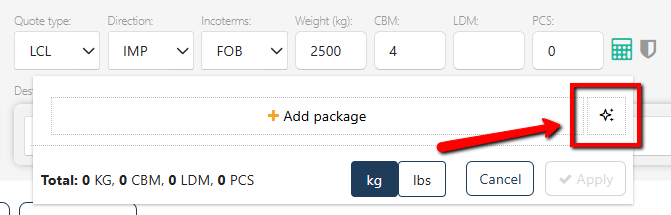
You can use our new AI Assistant to speed up the data entry:
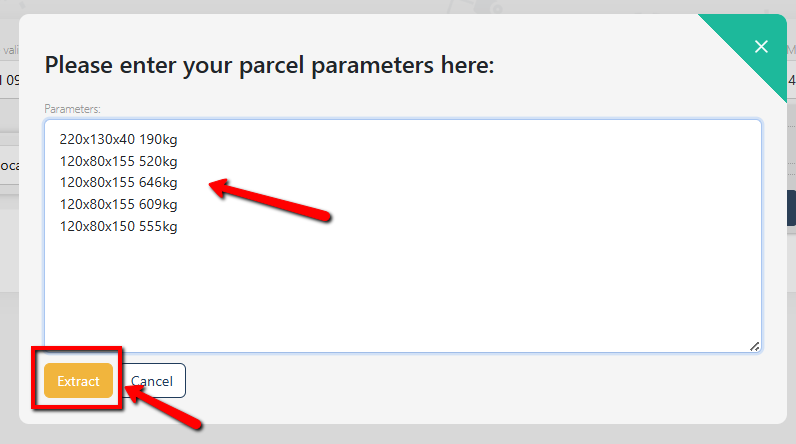
Just enter your packages' dimensions and click "Extract":
Our AI will populate the package info into the calculator:
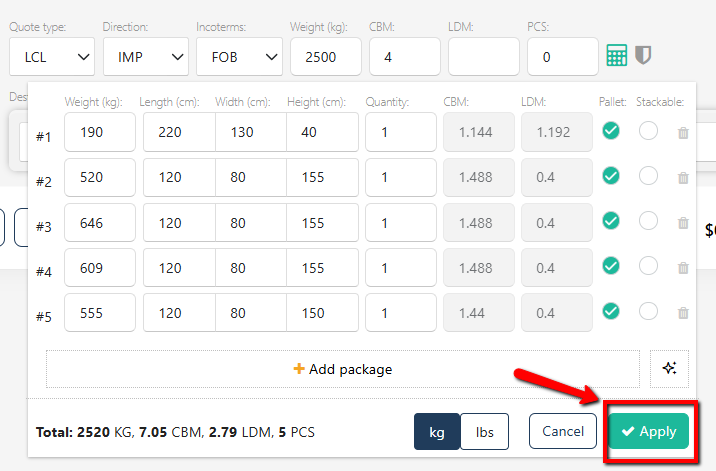
You can verify the data and click "Apply" to proceed with the quote.
You can also add dimensions manually - click "Add package" to start adding parcels:
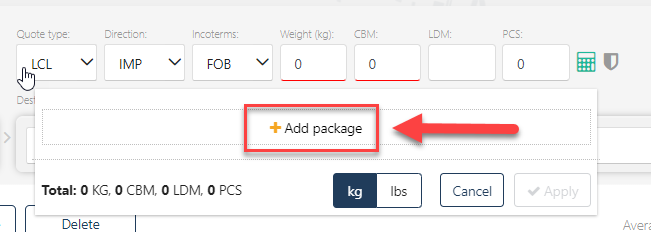
Select the right unit (kg / lbs) and enter the parameters (weight, length, width, height and quantity):
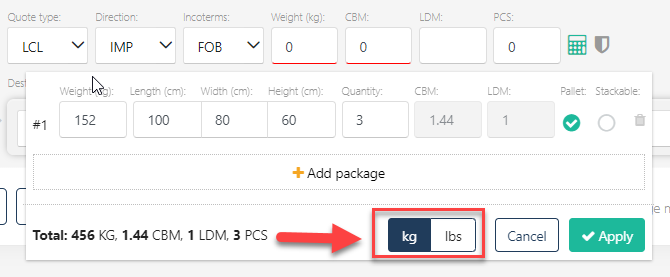
The system will calculate CBM and LDM automatically and display the total in metric units.
If you wish to add more parcels of different dimensions, click 'Add package'.
NB - all packages you add to one quote should have the same unit of measurement. The total will always be recalculated and saved in metric units.