

Once the Freight and Charges tabs are updated, you can go to the Layout tab of the quote.
By default, all charges are listed separately on the offer. You can group the charges at origin and/or destination into one line by selecting 'Group origin and/or destination charges' and select a currency:
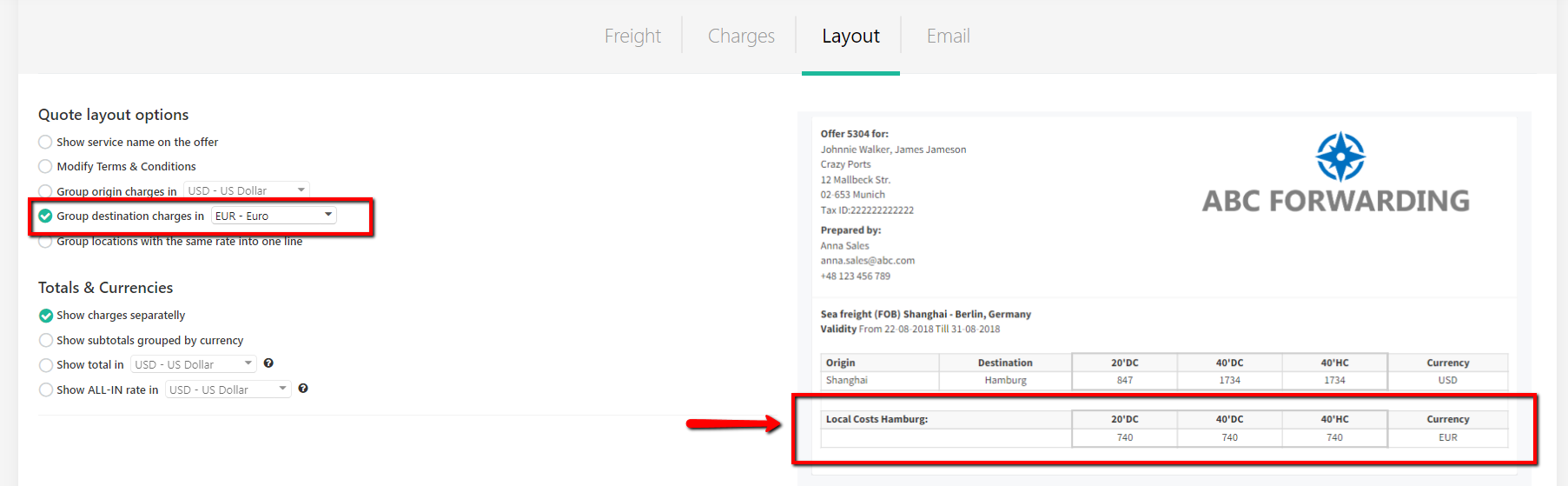
Once the button is ticked, local charges will group into one line automatically.
You can always go back to the previous layout by 'unticking' the box.