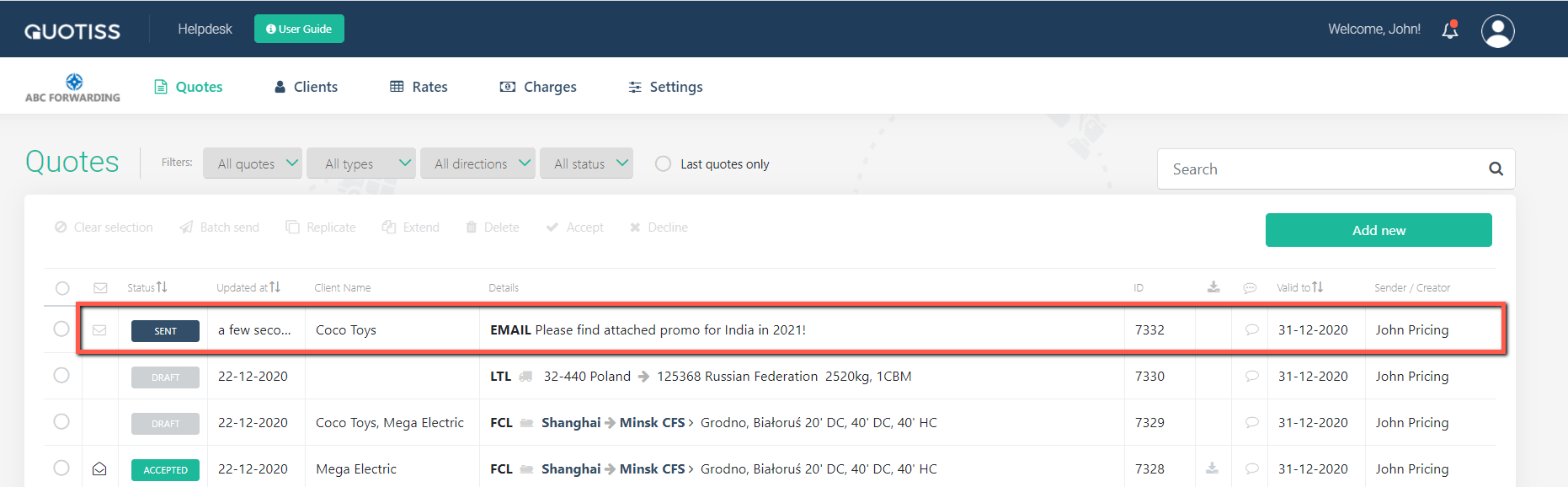
You can send 1 or 101 emails at once, reply directly or create a new email - whatever you send, it will be on your Quotes list, and you can track opens of the emails the same way you track quotes.
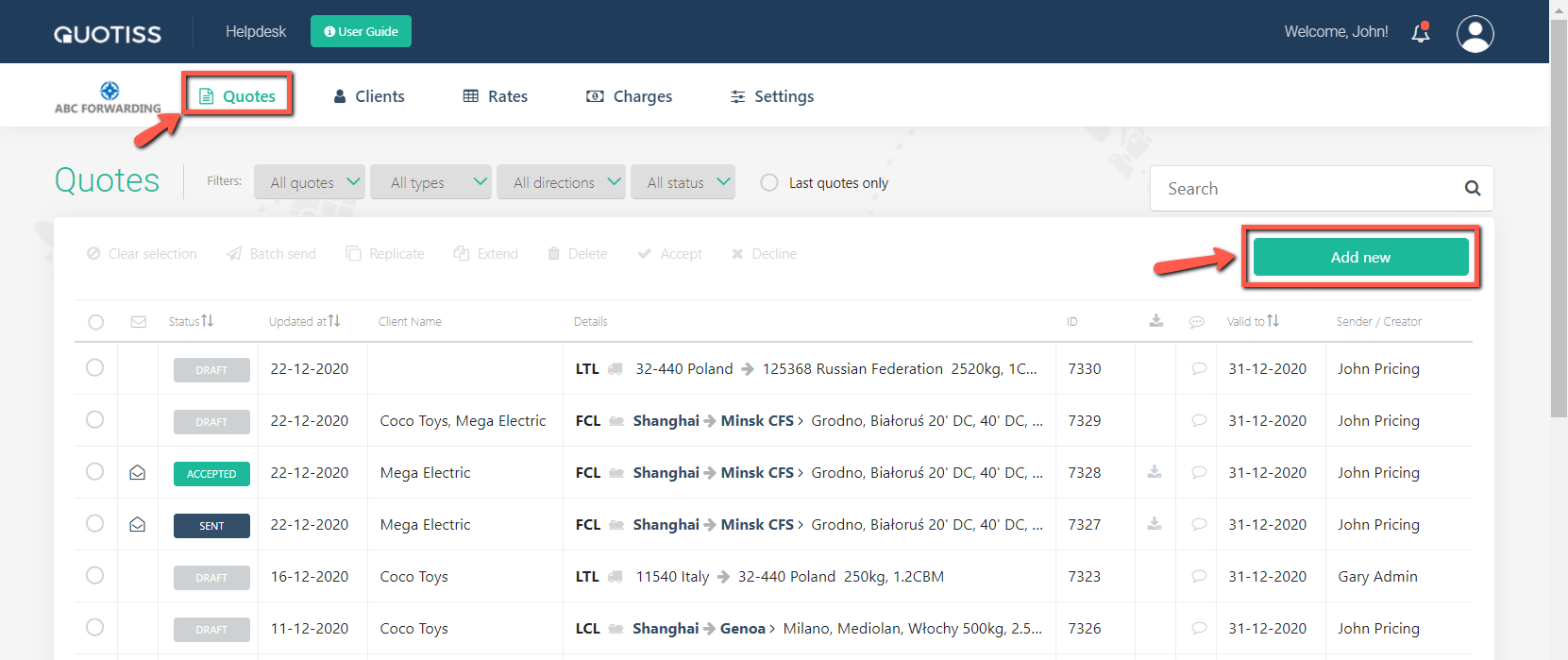
Go to the Quotes tab and click 'Add New'
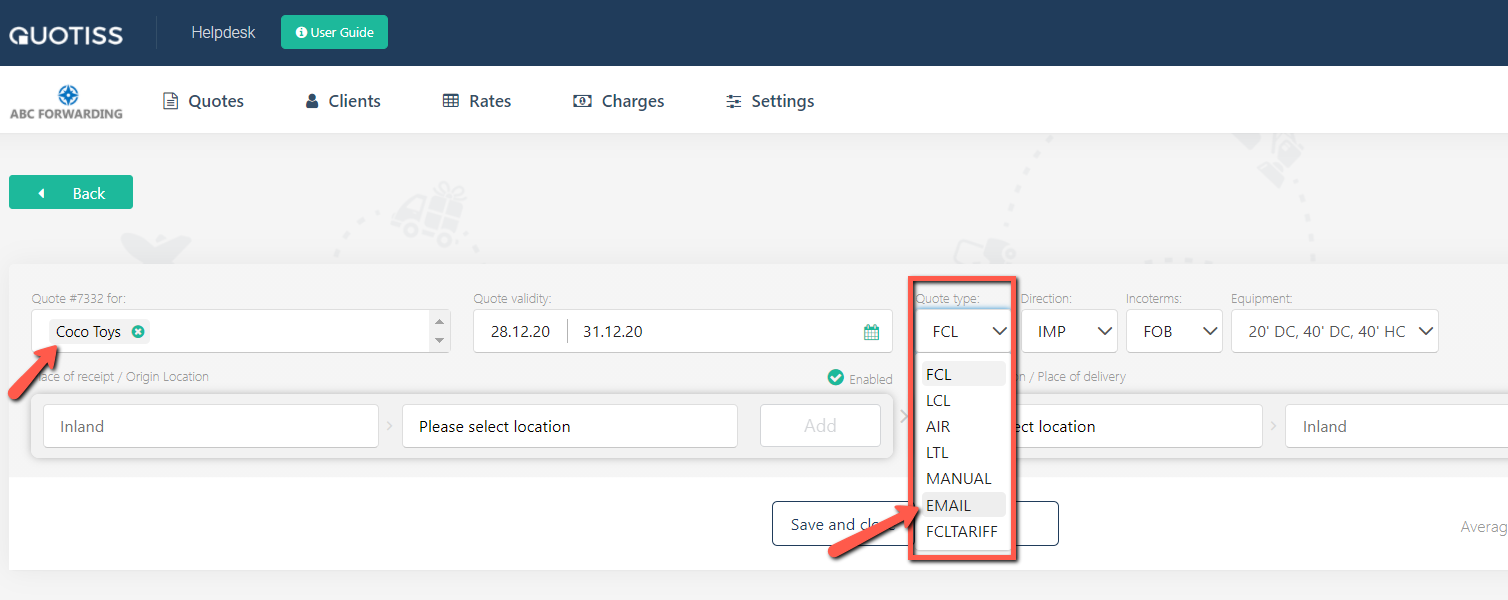
Select quote type = EMAIL:
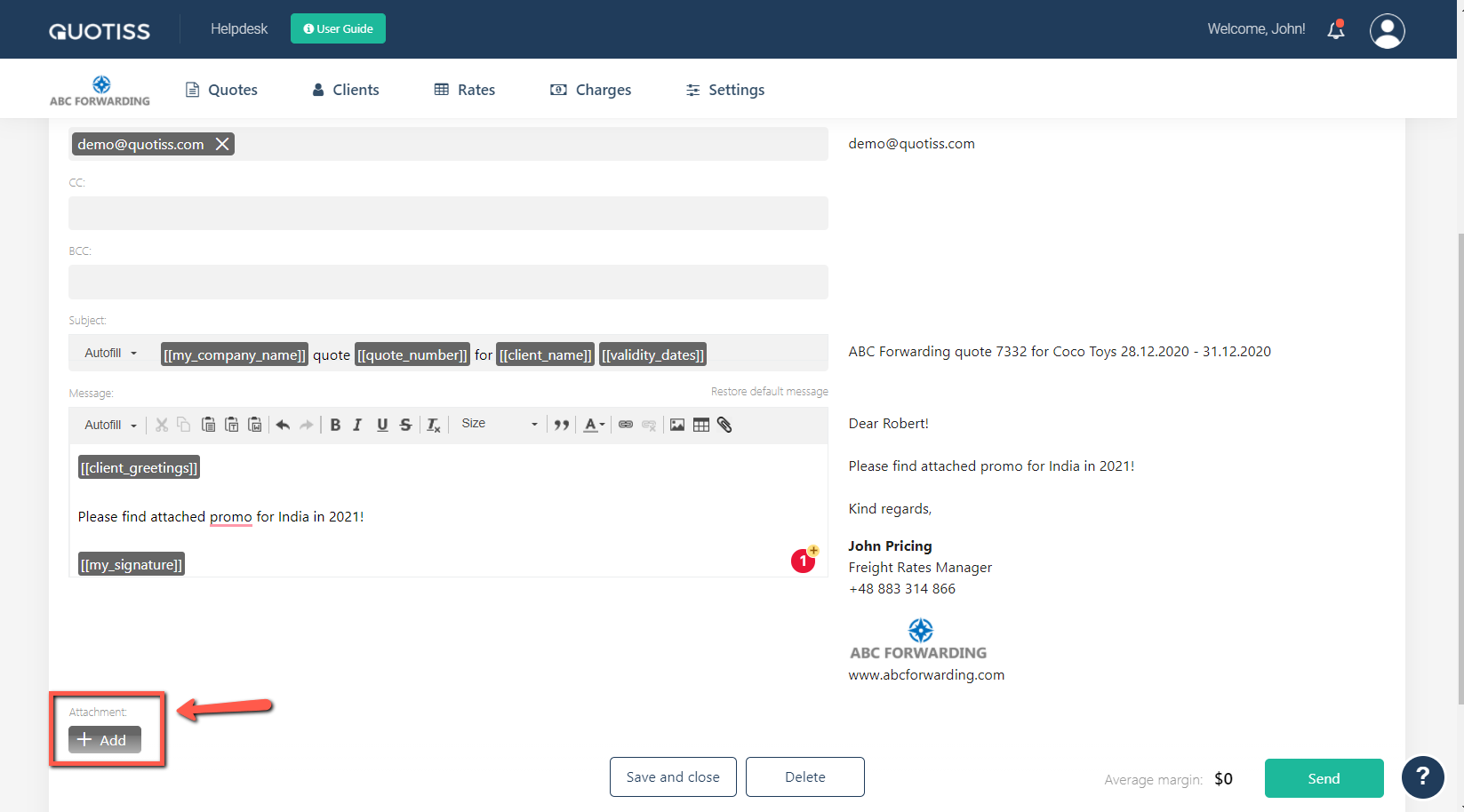
An email editor will open. Edit your email the same way as for the normal quote. You can also add an attachment:
Once completed, click 'Send' button. Your email will appear on your Quotes list: