

Once the Freight and Charges are updated, and the Layout of the quote is OK, please go to the Email tab to send the quote to the customer.
Please use placeholders to autofill and save time.
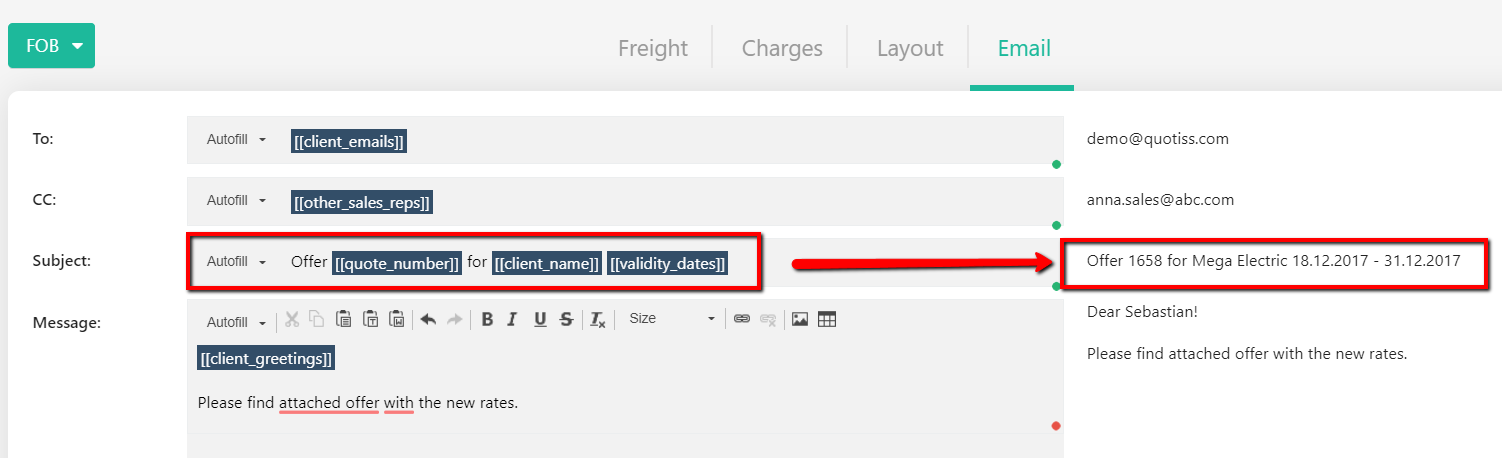
The email recipients and greetings are predefined and come from the Client Profile.
TO: the email(s) of the client. You can change it or add more emails manually if needed. Please use comma as separator.
CC / BCC: the email(s) of additional sales reps assigned to this client. You can change it or add more emails manually if needed. Please use comma as separator.
Subject: Added automatically, can be changed manually if needed.
Message: text starts with Greetings if they are updated in the Client Profile. You can overwrite it if needed. Add your email text below the Greeting.
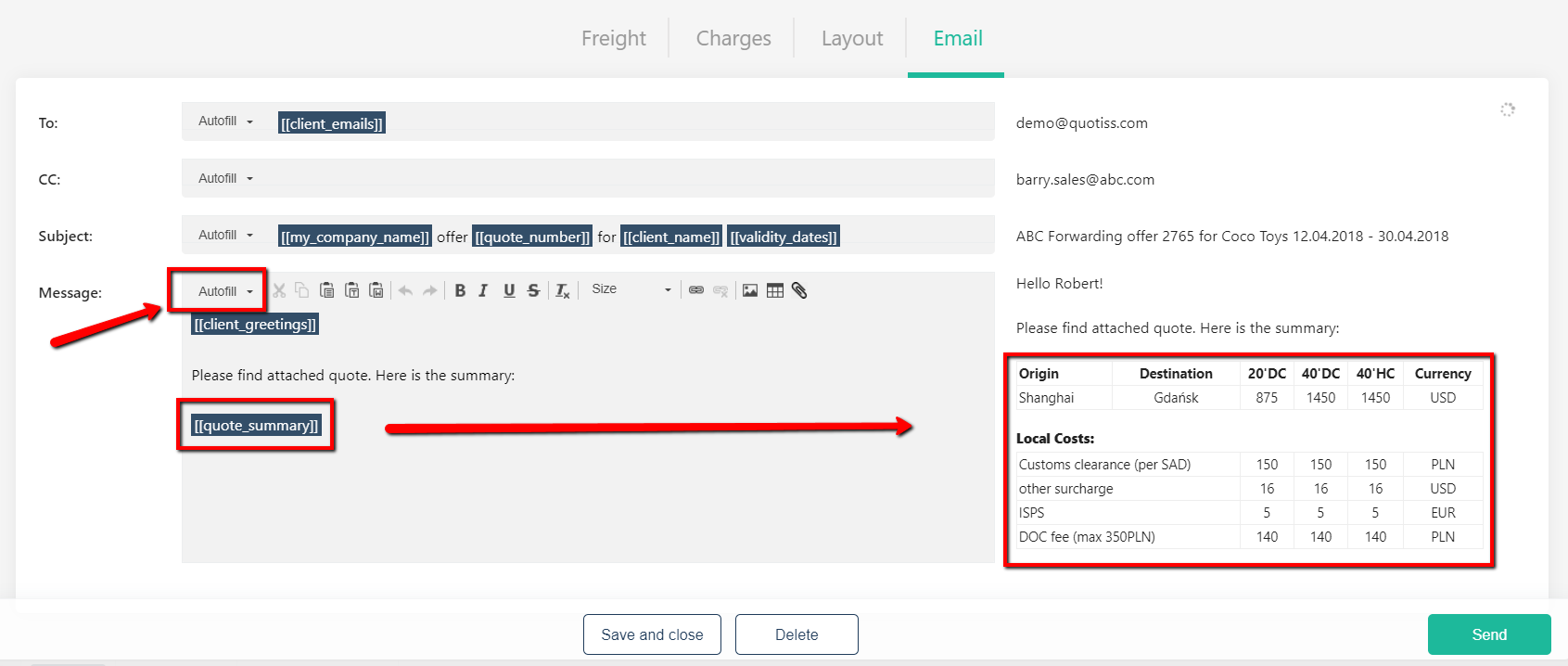
It is also possible to insert a quote preview into the email body - please use the quote_summary placeholder as shown:
Your email signature will be added to every email you send from the system.
Your freight quote in PDF format will be attached to the email. The name of the PDF file will be generated automatically.
When all fields are updated correctly (nothing is highlighted in red), the SEND button will appear.
Click Send to send your email.