

Once the freight rate is selected, you can add a margin on top of the rate. It is possible to add the margins in 3 different ways:
1) apply a pre-defined margin level from the list for all selected locations / contracts:
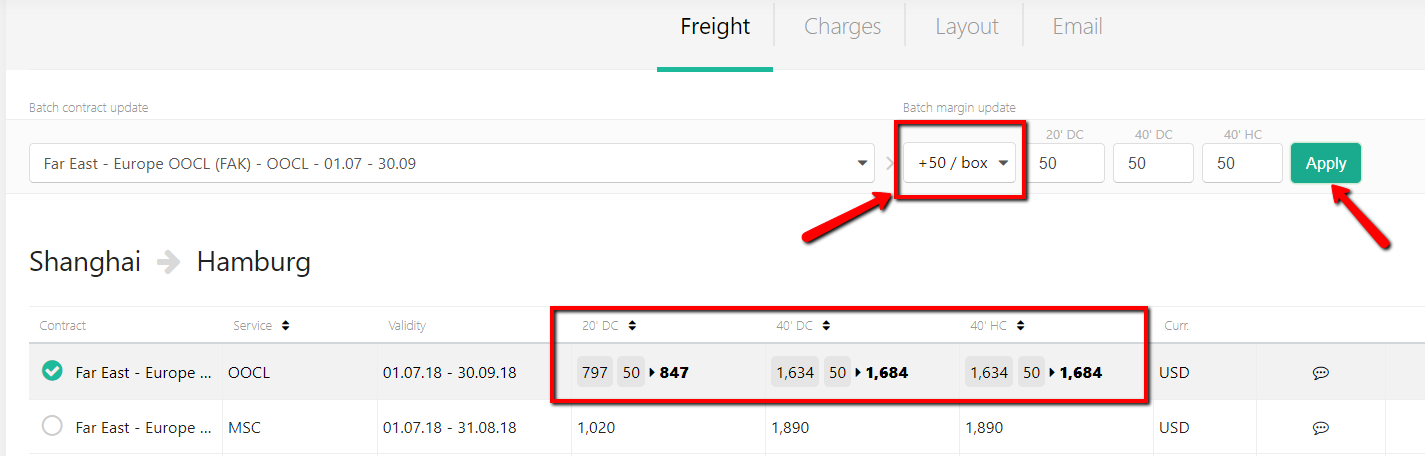
2) the custom margin batch-update for all selected locations / contracts:
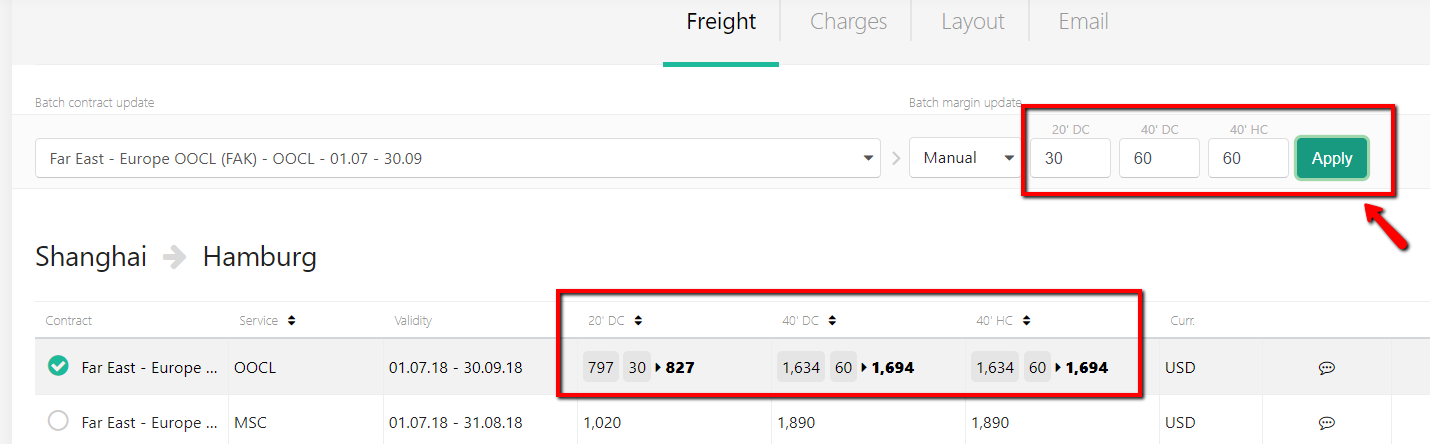
3) manual editing of each selected port pair:

Once the margin is added, the system will automatically recalculate the total. Click 'Save' once updated.
The Average Margin will be calculated for each quote:
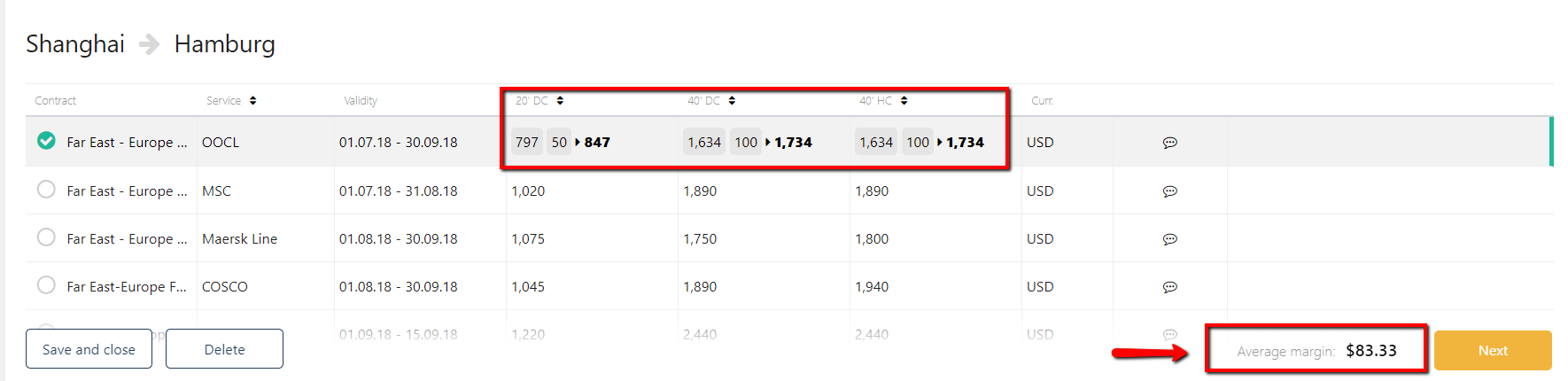
NB: you can add a negative margin (type 'minus' before the digits), then the margin will be deducted from the NET rate.