

Logo

What are you looking for?

Get help straight from the team at Quotiss...

How to deactivate specific locations in the contract?

Freight Rates and Local Charges

How to deactivate specific locations in the contract?

Last updated on 02 Jul, 2020

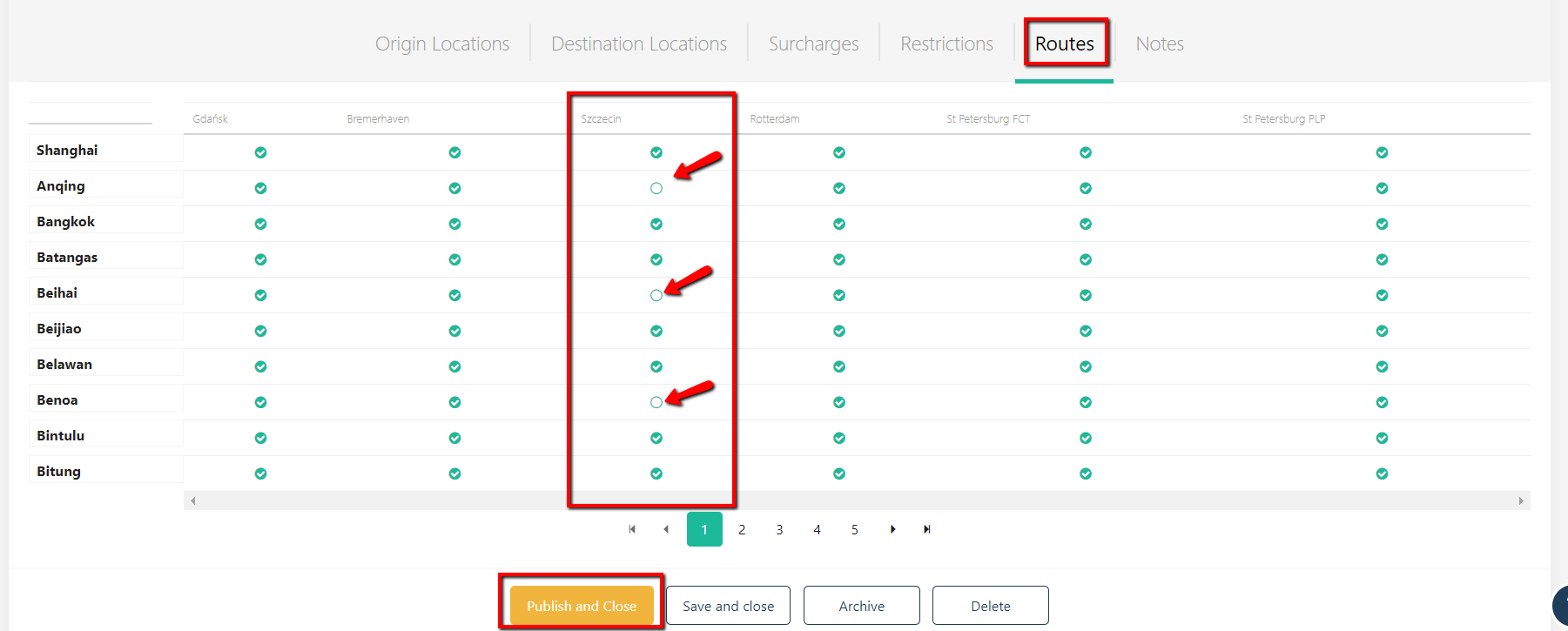
It is possible to deactivate a combination of locations in the linked contract.

Go to the Routes tab in your contract and untick the combination of origin-destination location on the matrix:
Image

The 'deactivated' rate will not be visible to the rest of the organization.

Did you find this article helpful?
Previous

How to edit published contract?

Next