

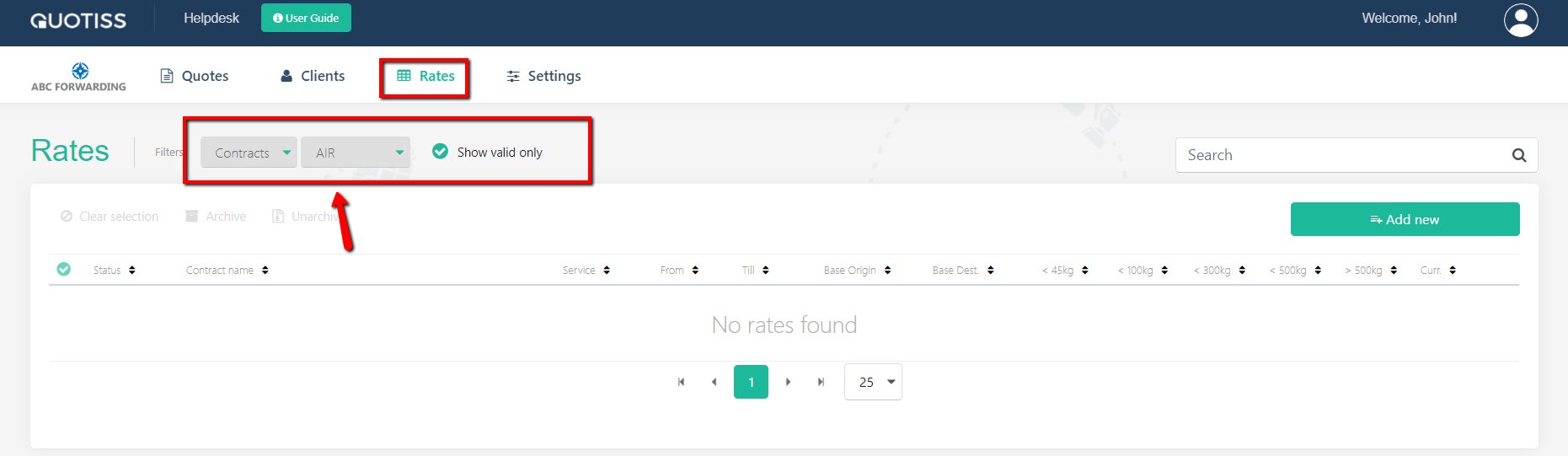
To update AIR contract rates, please go Rates -> Contracts, select AIR and click Add New:
Update contract header:
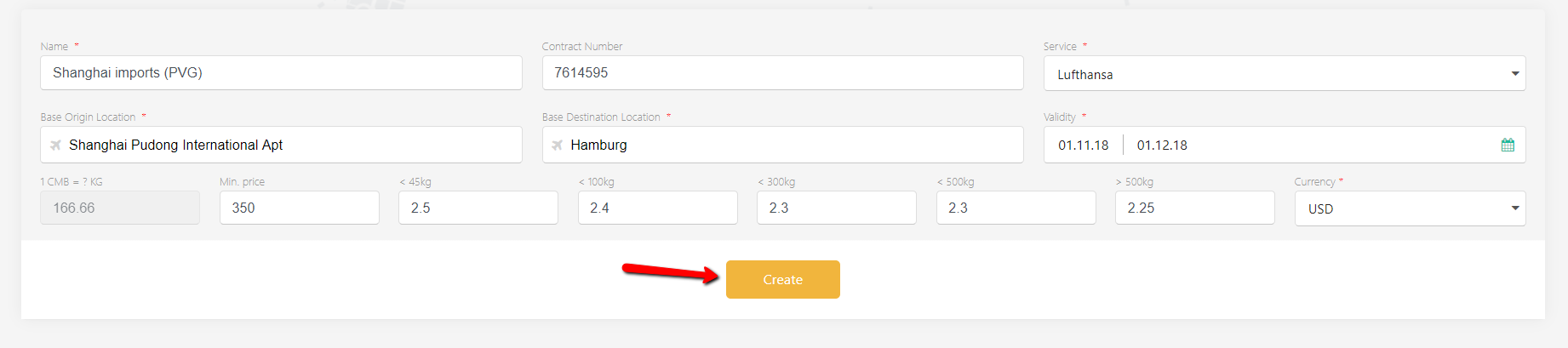
Contract Name
Contract Number (optional);
Service name;
Select base origin and base destination airports for this contract;
Validity dates (default validity is set for 2 weeks from today);
The base rate and weight brackets.
Select your currency from the list.
You can also add a minimum rate. The conversion ratio will be set up automatically to read 166.666(6).
Click the 'Create' button. Now you can:
Once all tabs are updated, you can Publish the contract.