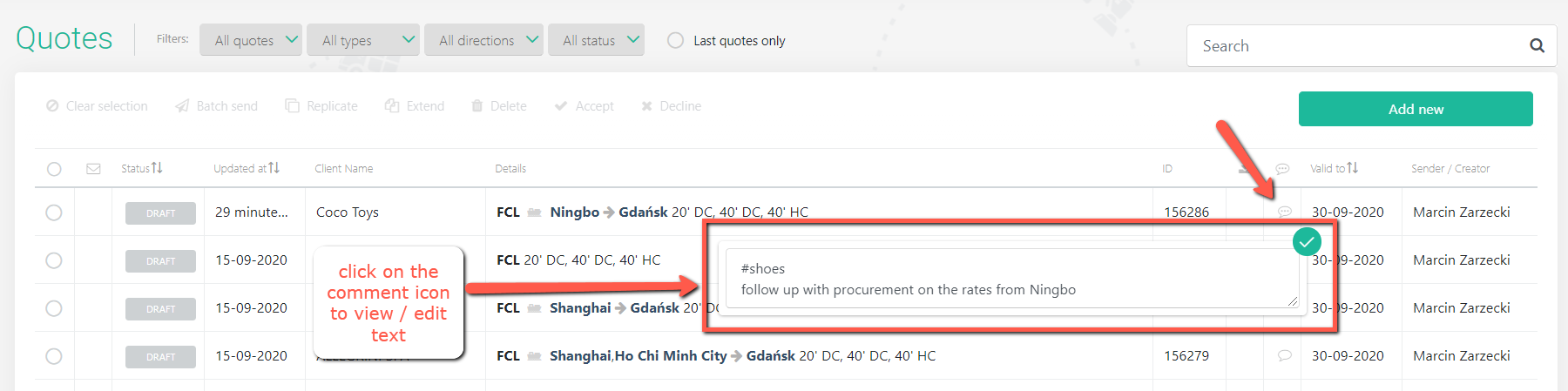
To enable easy quote search and filtering, and to be able to add notes to self and other users for a specific quotation, please use the field called 'Notes (internal use only)'.
To add, edit or delete the note, please open the 'Freight' tab of your quote and scroll to the bottom of the page:
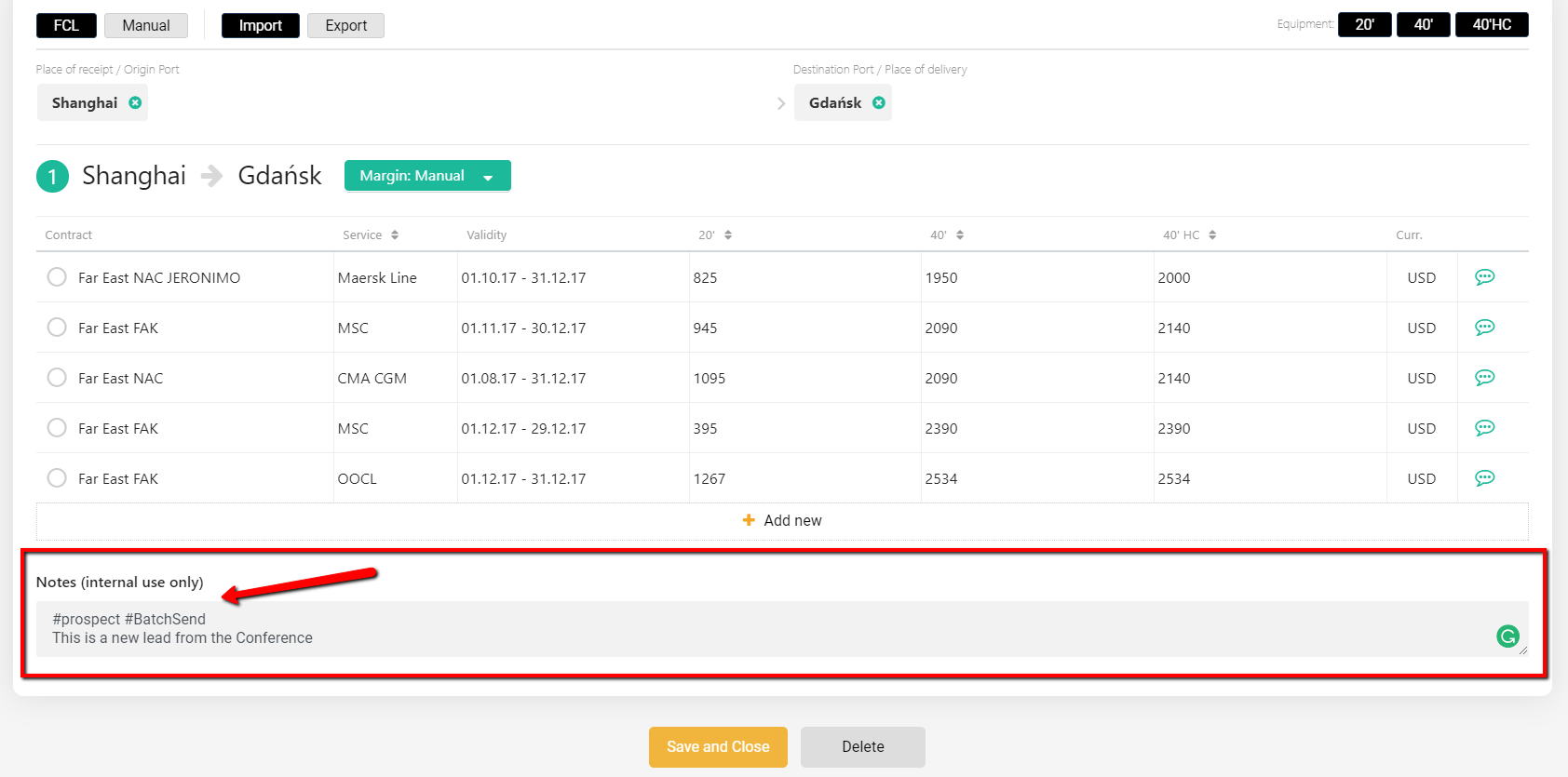
This is a free text field and it is searchable in the main Quote List. Use it to add notes or hashtags. They will only be visible to internal users within the organization.
You can also add, edit or delete the note directly from the Quote List: