

Once the Freight and Charges tabs are updated, you can go to the Layout tab of the quote.
By default, the name of the selected carrier / service is not reflected on the offer. You can add it by selecting the 'Show service name on the offer' in the list of layout options at this stage:
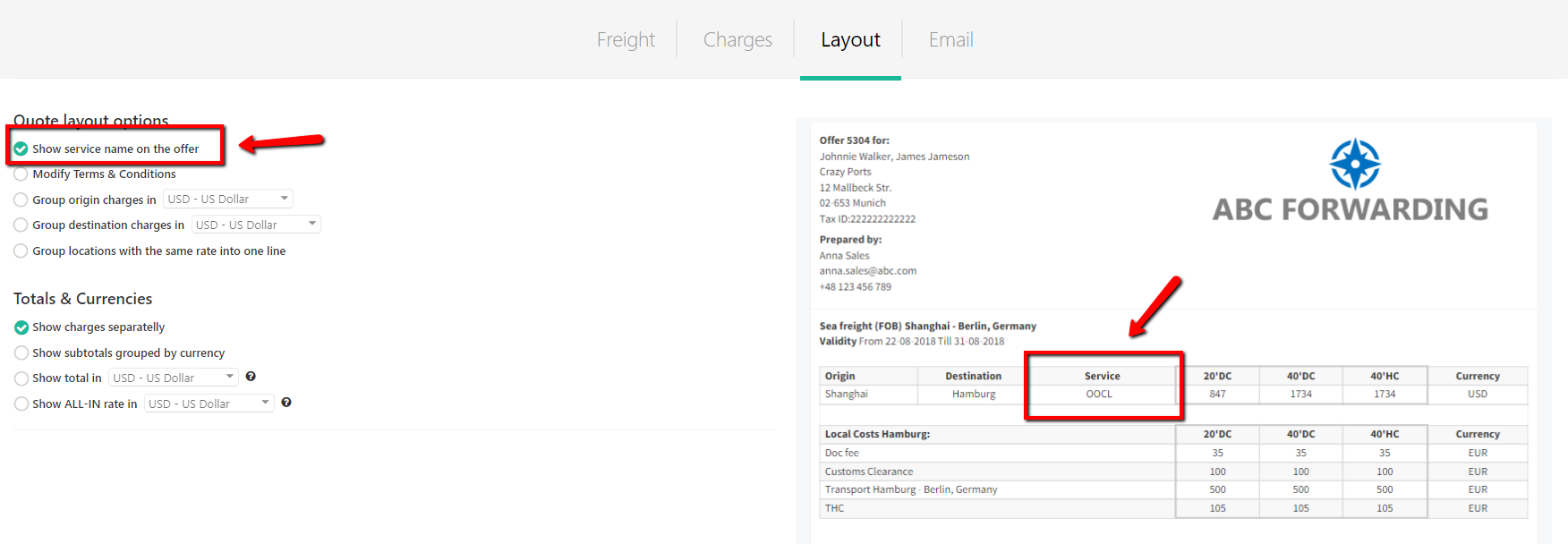
Once the button is ticked, the quote preview will refresh and an additional field called 'Service' will appear.
You can always remove it by 'unticking' the box.