

Logo

What are you looking for?

Get help straight from the team at Quotiss...

How to re-assign clients to other sales rep?

Clients

How to re-assign clients to other sales rep?

Useful when the sales rep goes on holidays, and their clients are assigned to another sales.

Last updated on 03 Jul, 2020

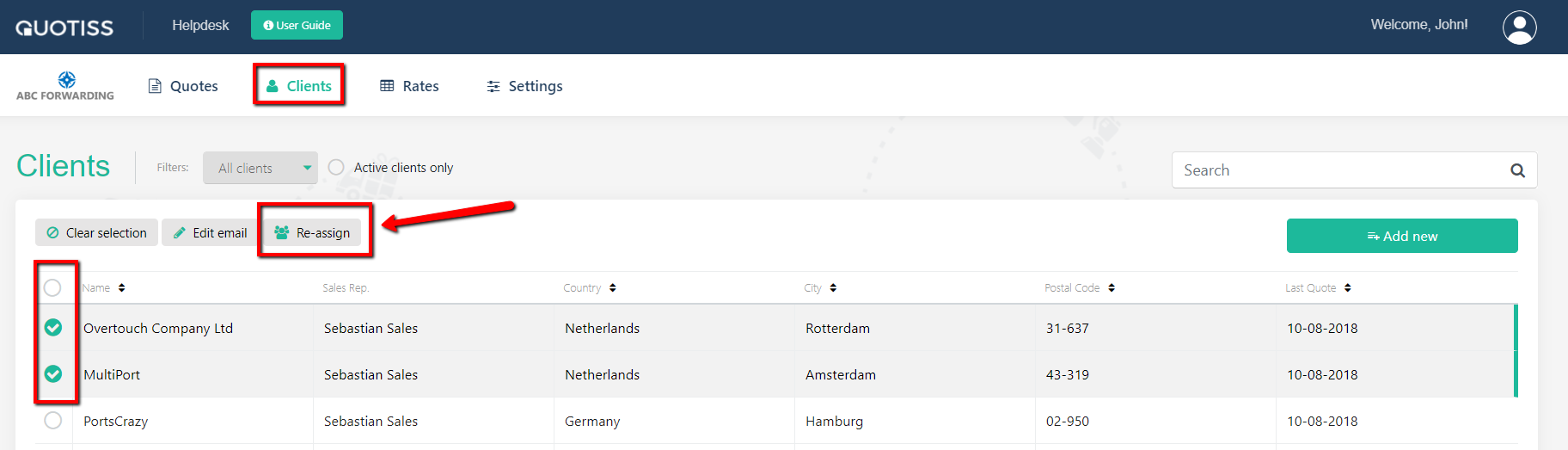
Go to Clients and select the clients you'd like to reassign from the list (use filters for easier selection). Then click the 'Re-assign' button:
Image

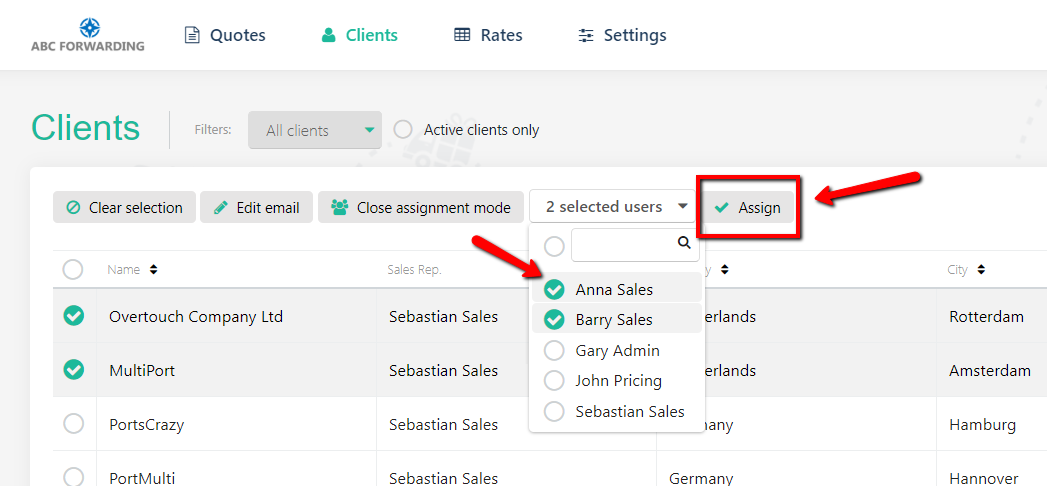
Please select the new sales reps from the drop-down list:
 

Image

Click the 'Assign' button. The new sales reps will be assigned accordingly.

Did you find this article helpful?
Previous

What is the client dashboard?

Next