

To merge two or more client accounts in Quotiss, please open CRM => Clients and select the accounts you'd like to merge:
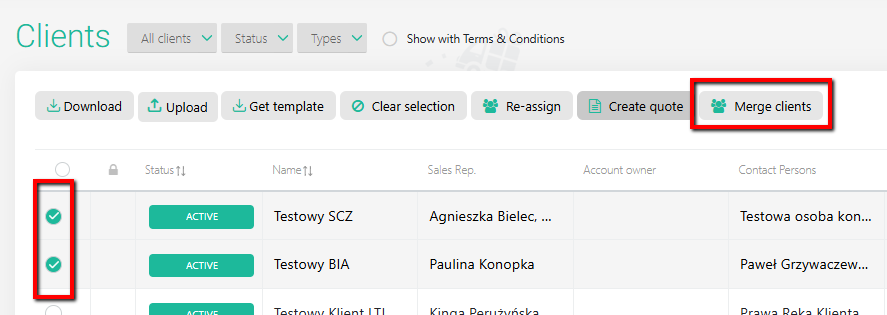
Now, click "Merge clients" and select the main account, and click "Merge".All activities from the other account(s) will be transferred to the main account profile:
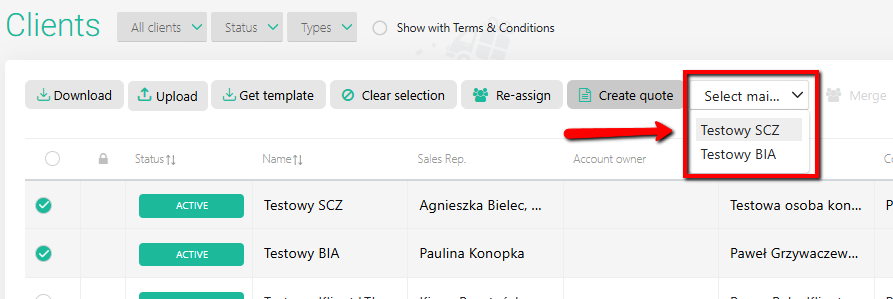
Once the merge is completed, only one Main account will be left in the system. The elements like:
quotes
contacts
meetings
calls
emails
will be saved under the Main account.