

Start with creating a standard FCL quote, and update the quote header:
Now click 'Check online' button:


In the case if you entered an Inland location for pickup or delivery, you will be prompted to select this location again in the Maersk location catalogue:
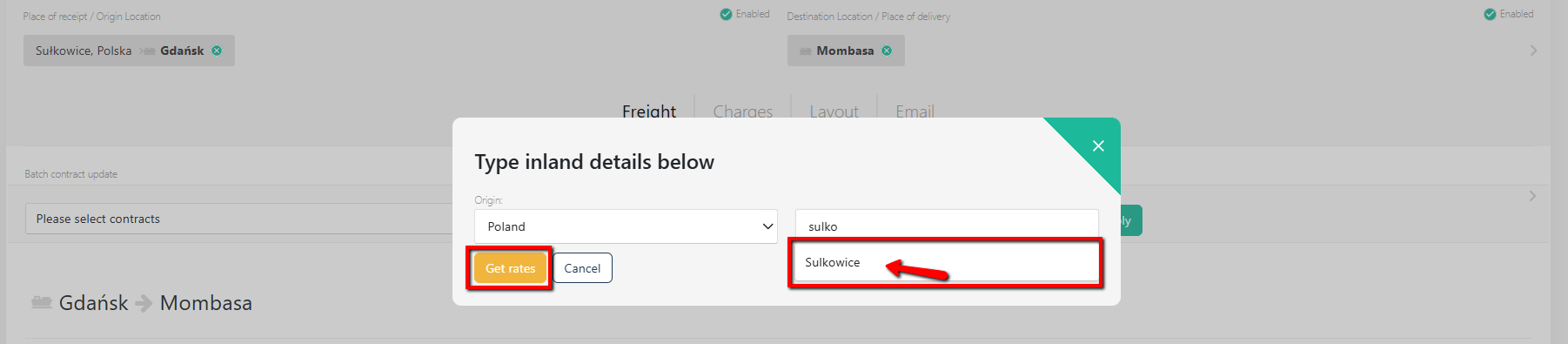
Click 'Get rates' and Quotiss will connect to Maersk Spot and check for available rates for the specified origin-destination + inland haulage:
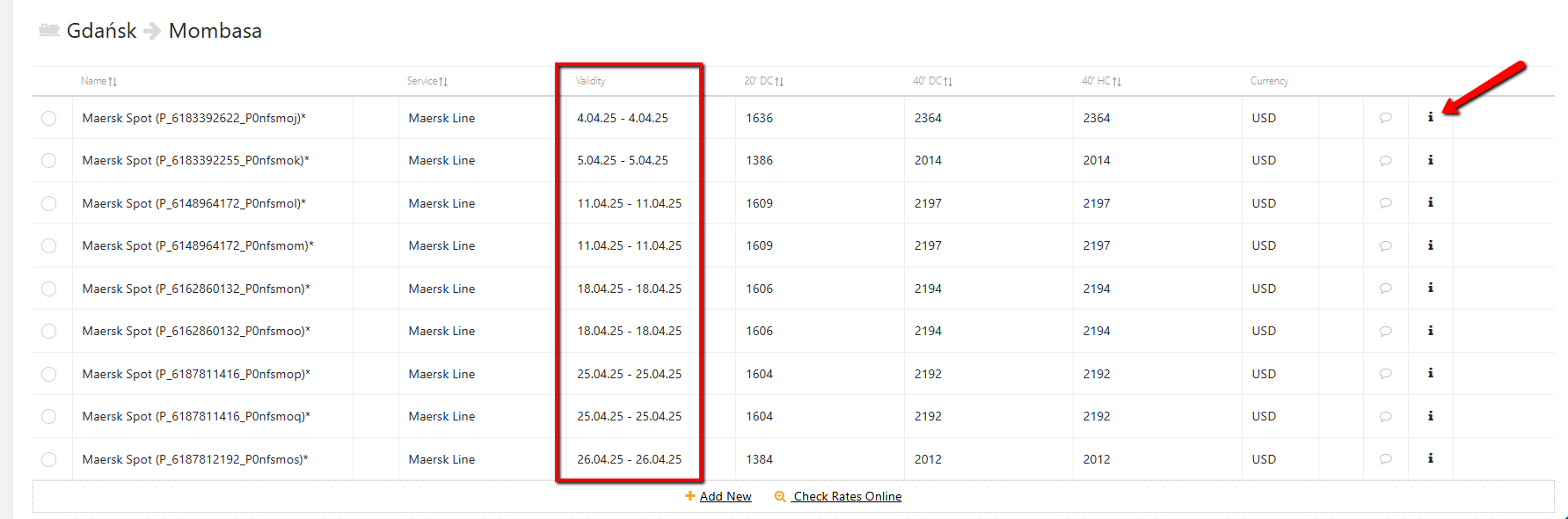
The returned results will specify:
Rate name 'Maersk Spot' and the unique rate ID
Service name 'Maersk Line' or 'Sealand' or 'Safmarine'
The validity of the rate displayed in Freight tab equals the sailing date of the vessel. Please make sure that you are familiar with the terms and conditions of the Maersk Spot, as the rate validity for Maersk Spot has a special definition and changes dynamically.
The freight rates displayed on Freight tab include all 'Paid with Freight' charges
The INFO BOX contains the essential information on general terms, vessel details and deadlines, charges paid at origin and destination, D&D terms, penalties and fees:
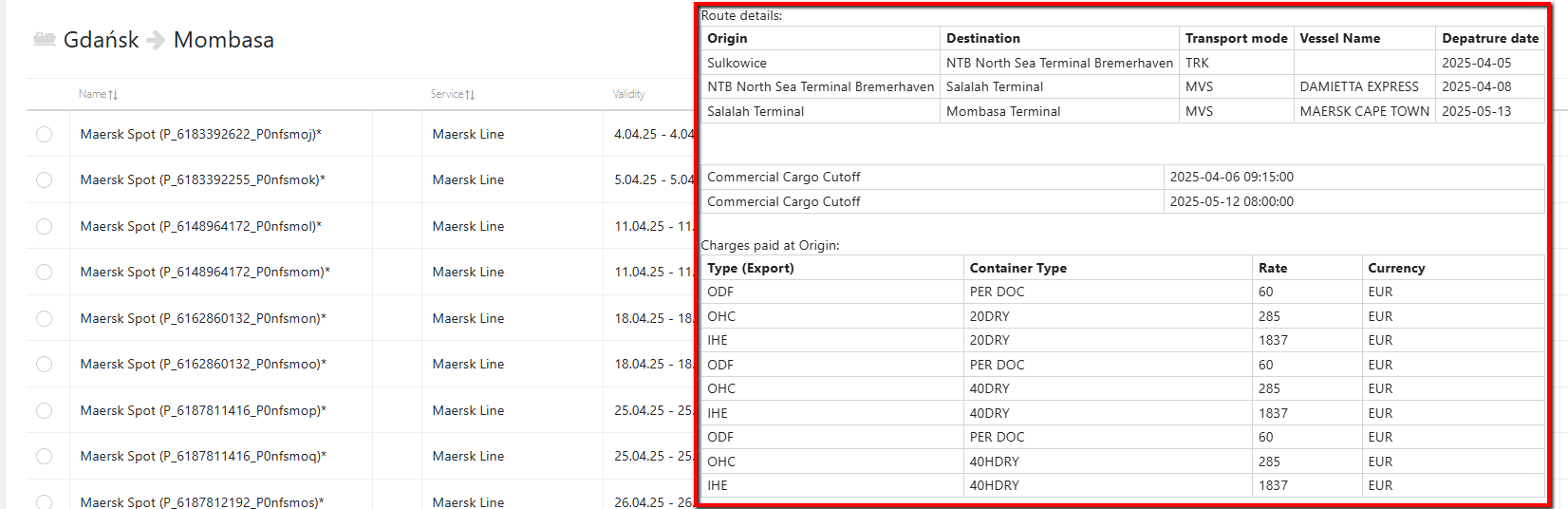
Select the rate, add margin, make sure to check the T&C, local charges and fees in the comment field.
Once the rate is selected, please proceed to the next steps normally:
- send a quote.