

You can upload your inland haulage rates to Quotiss based on zip codes or distance from the port.
Go to Rates => Select LTL => Click 'Add New':
Add contract name, number, and service name. In 'Rate Type' select Pickup - Delivery (by distance) or Pickup - Delivery (by zip code).
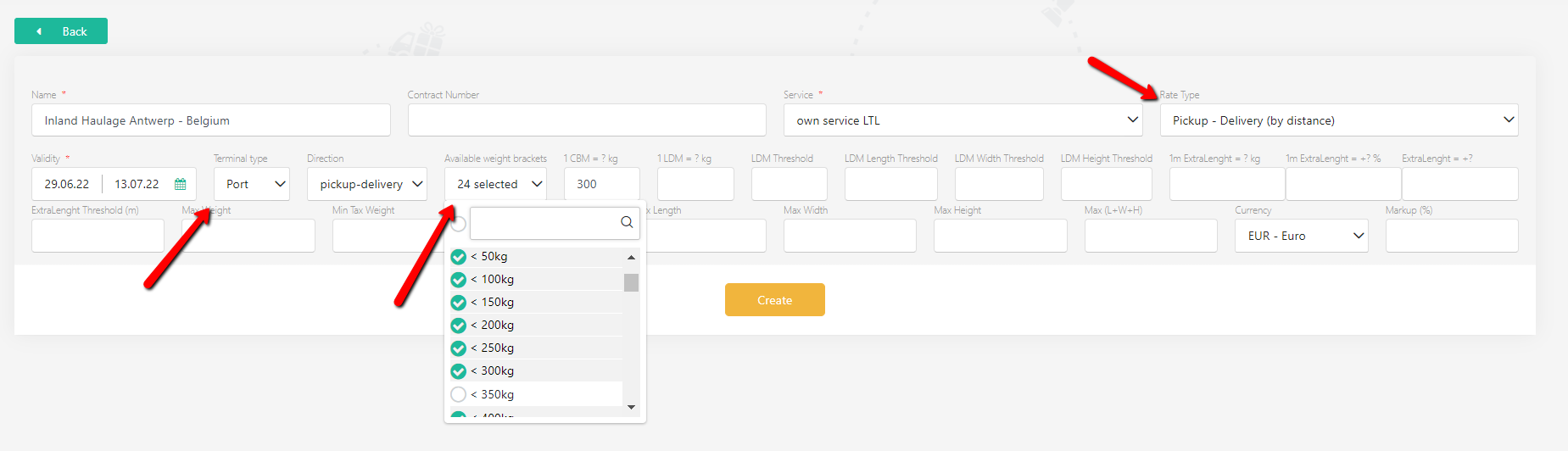
Continue to add contract validity, select weight brackets from the dropdown list, terminal type (Port, Airport, Rail, Road), and direction (pickup, delivery, or both). Pick a currency from the dropdown. Add markup in % (will be added on top of the calculated rate, not a mandatory field).
Please note that if you picked a specific weight bracket from the dropdown list, you have to add a rate to it. If you leave it empty, the system will treat it as an exception (no service).
NB: There are plenty of additional parameters for advanced settings to convert CBMs to kg, LDMs to kg, extra length parameters, min and max measurements of the loads, etc. If something is not clear - please ask our support team at support@quotiss.com to get direct assistance. Or just leave them empty :)
Once the header is updated, click 'Create':
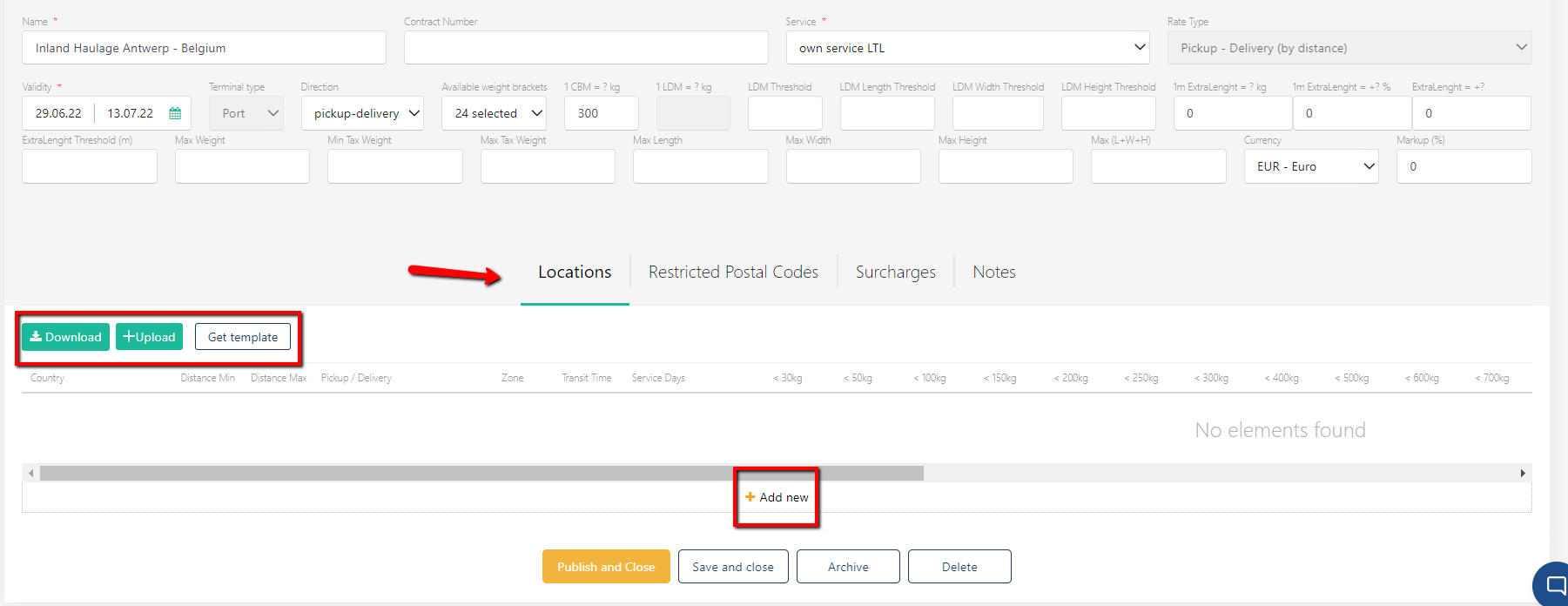
Use the template to add rates. Click 'Get template' and update the template with data:
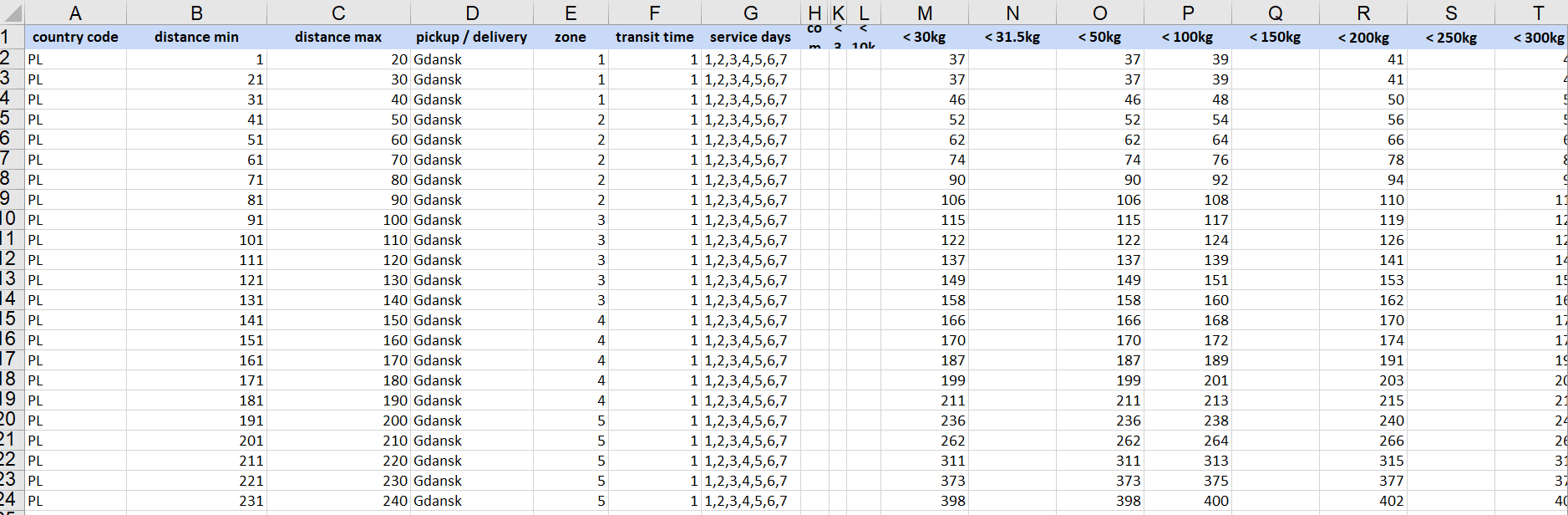
If you have selected Pickup - Delivery (by distance), please use the distance in km from the terminal.
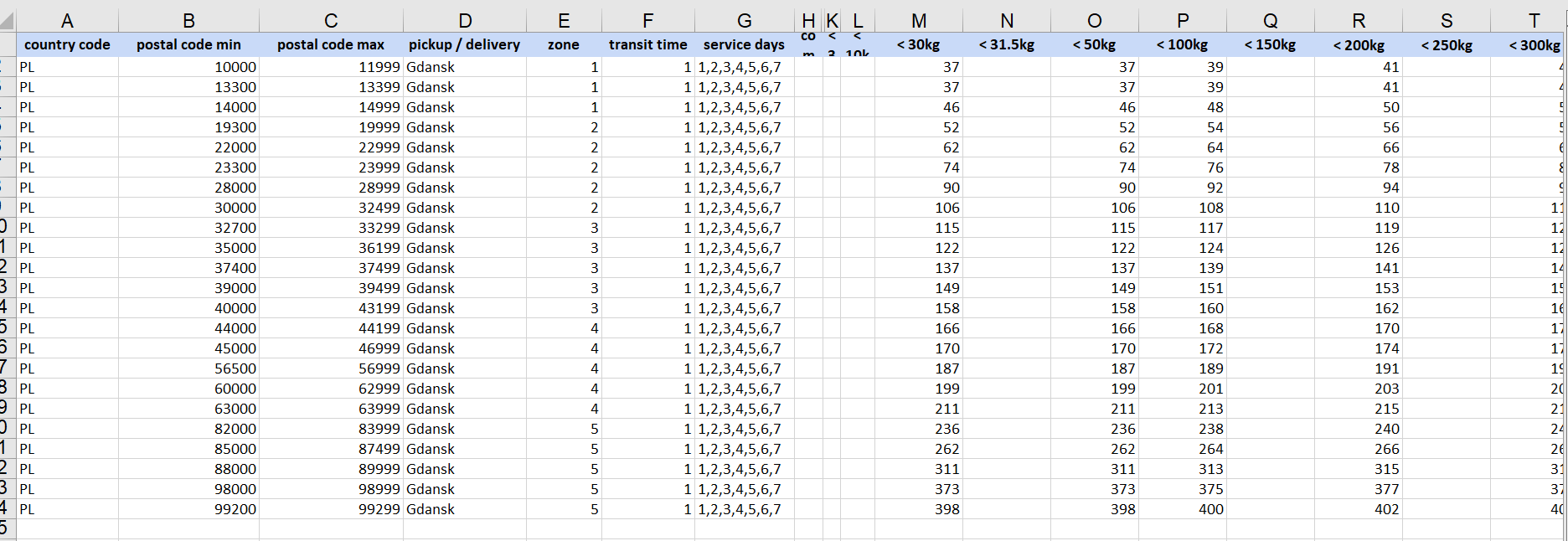
If you have selected Pickup - Delivery (by zip code), use zip code ranges as shown:
NB: There are plenty of additional parameters for advanced settings such as zone, transit time, service days, etc. If something is not clear - please ask our support team at support@quotiss.com to get direct assistance. Or just leave them empty :)
Quotiss checks the distance and zip codes in Google Maps and calculates the rates accordingly, based on the shipment parameters entered in a quote.
Once the rates are added, you can proceed to add freight surcharges:
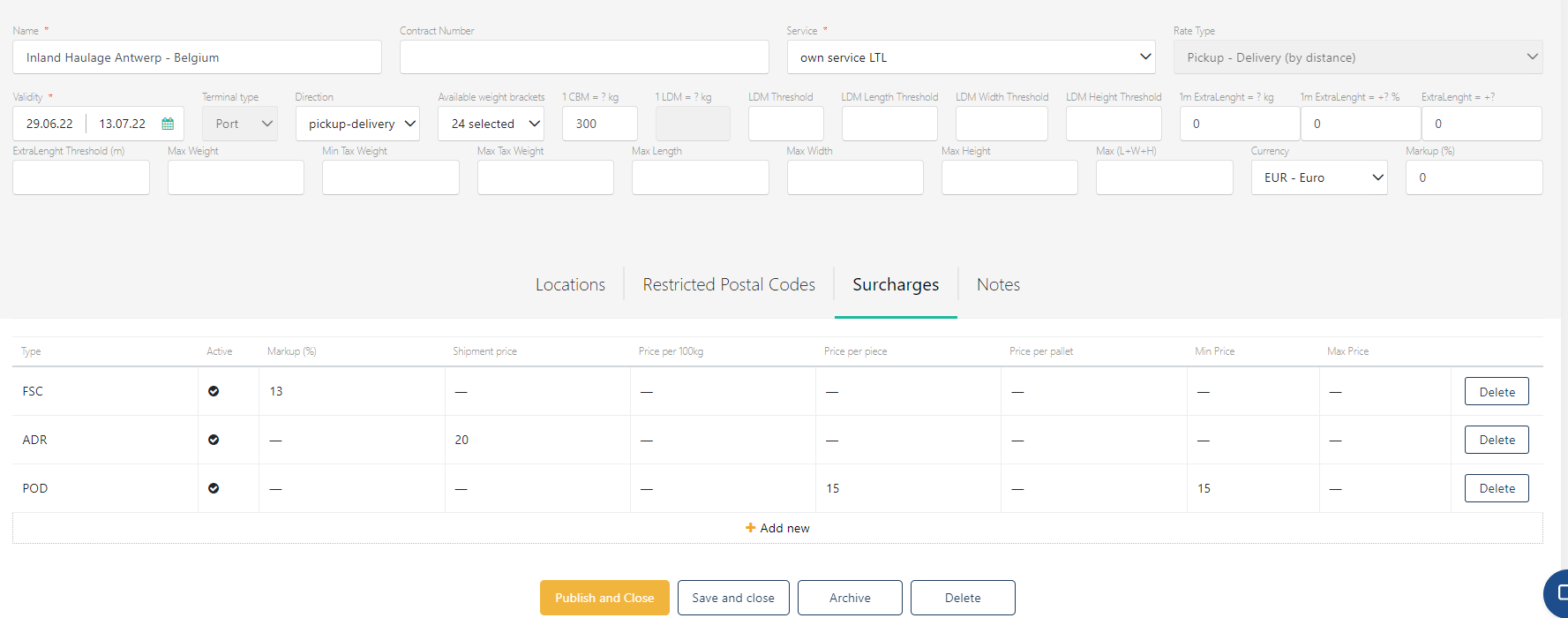
Surcharges can be added as % from freight or as a value. You can set min and max. Add surcharges by palet, by piece and per every 100kg. The list of surcharges to select from is defined in Settings => Surcharge Types
You can also add notes to your contract:
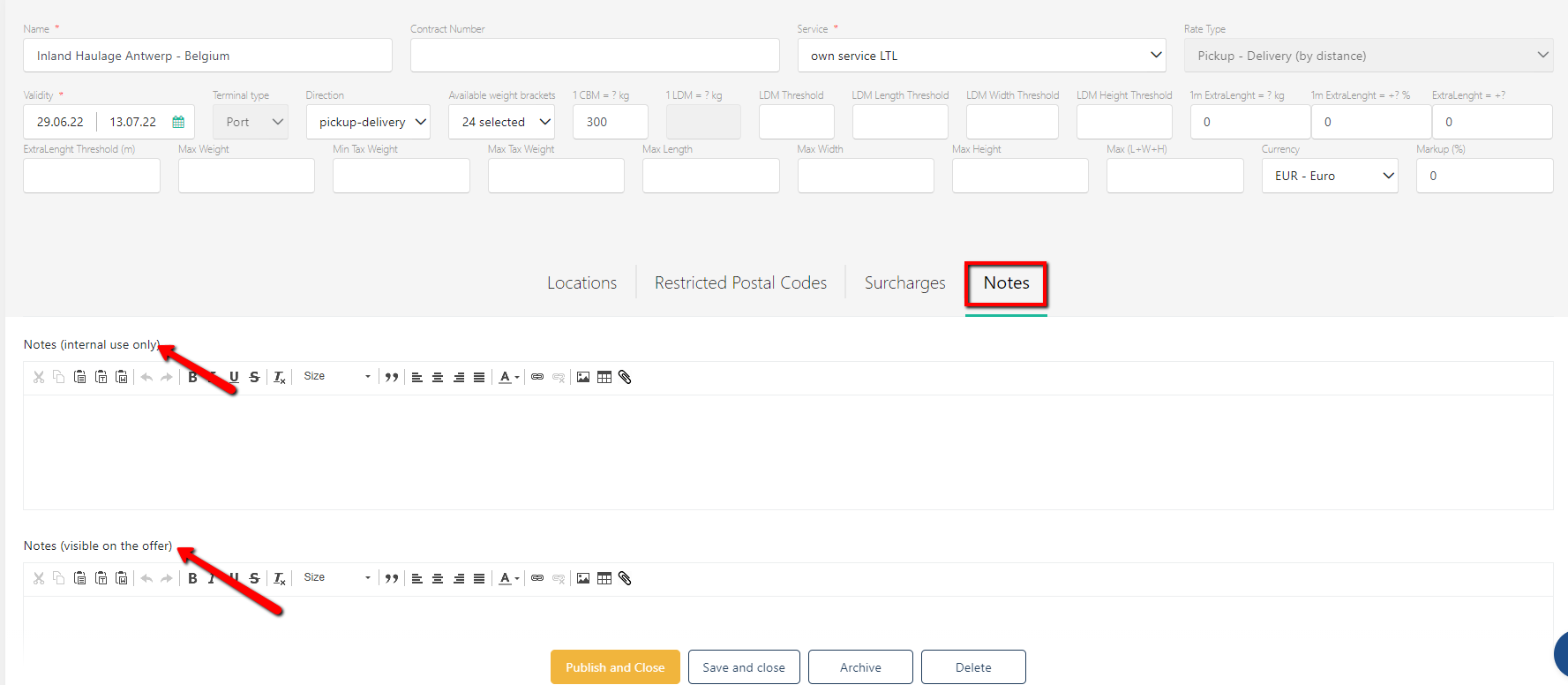
Notes can be internal and external. It can be text, image, table, or a combination of all types.
Publish the contract. Now the inland haulage rates will come automatically in the Charges tab when a zip code / distance that matches the range of the contract is selected in a quote.