

You can upload your inland haulage rates to Quotiss based on zip codes or distance from the port.
Go to Rates => Select FCL (Sea or Rail) => Click 'Add New':
Add contract name, number, and service name. In 'Rate Type' select Pickup - Delivery (by distance) or Pickup - Delivery (by zip code).

Continue to add contract validity, container types, terminal type (Port, Rail, Road), and direction (pickup, delivery, or both). Pick a currency from the dropdown. Add markup in % (will be added on top of the calculated rate, not a mandatory field).
Once the header is updated, click 'Create':
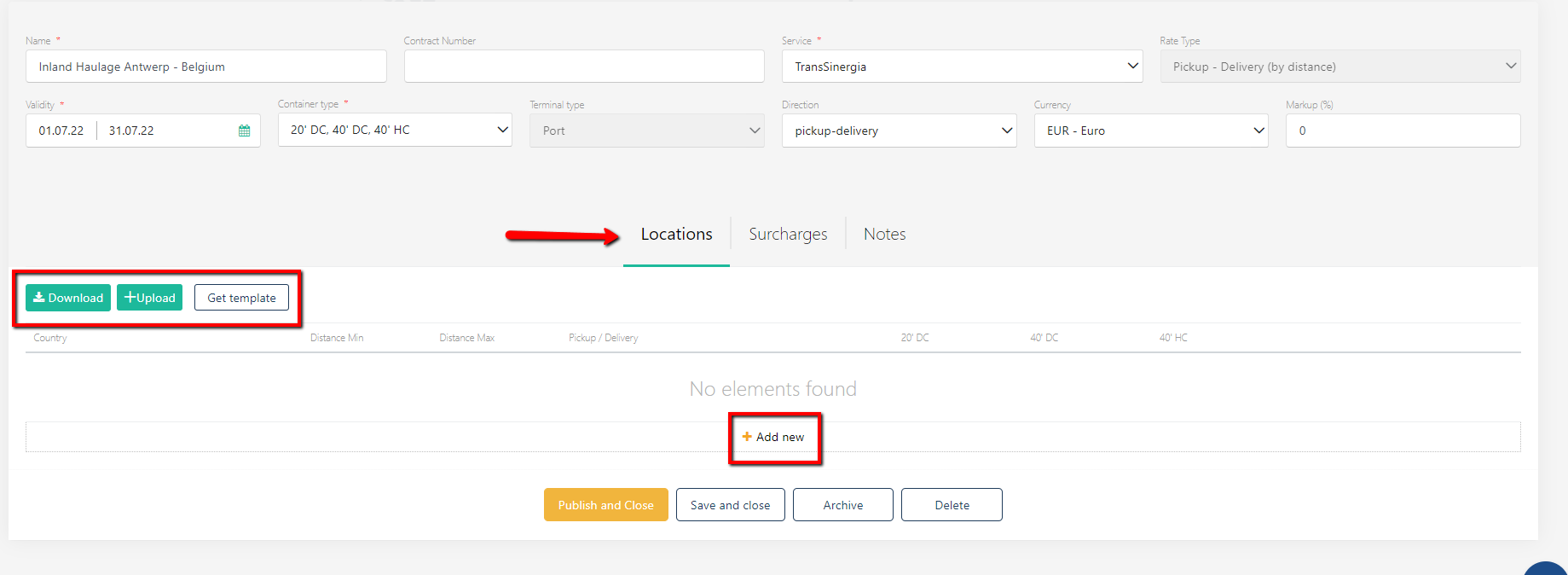
Use the template to add rates. Click 'Get template' and update the template with data:
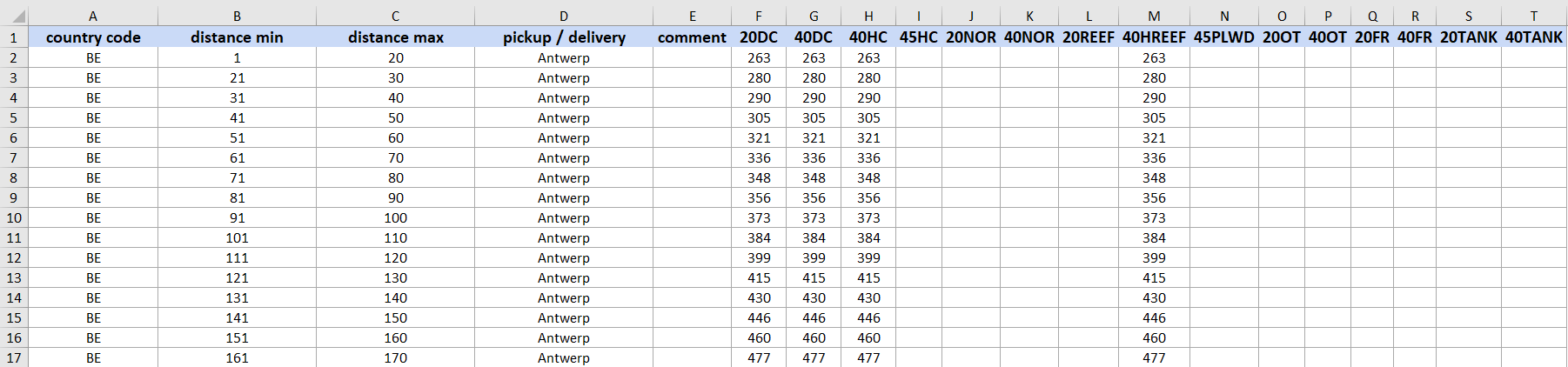
If you have selected Pickup - Delivery (by distance), please use the distance in km from the terminal.
If you have selected Pickup - Delivery (by zip code), use zip code ranges as shown:
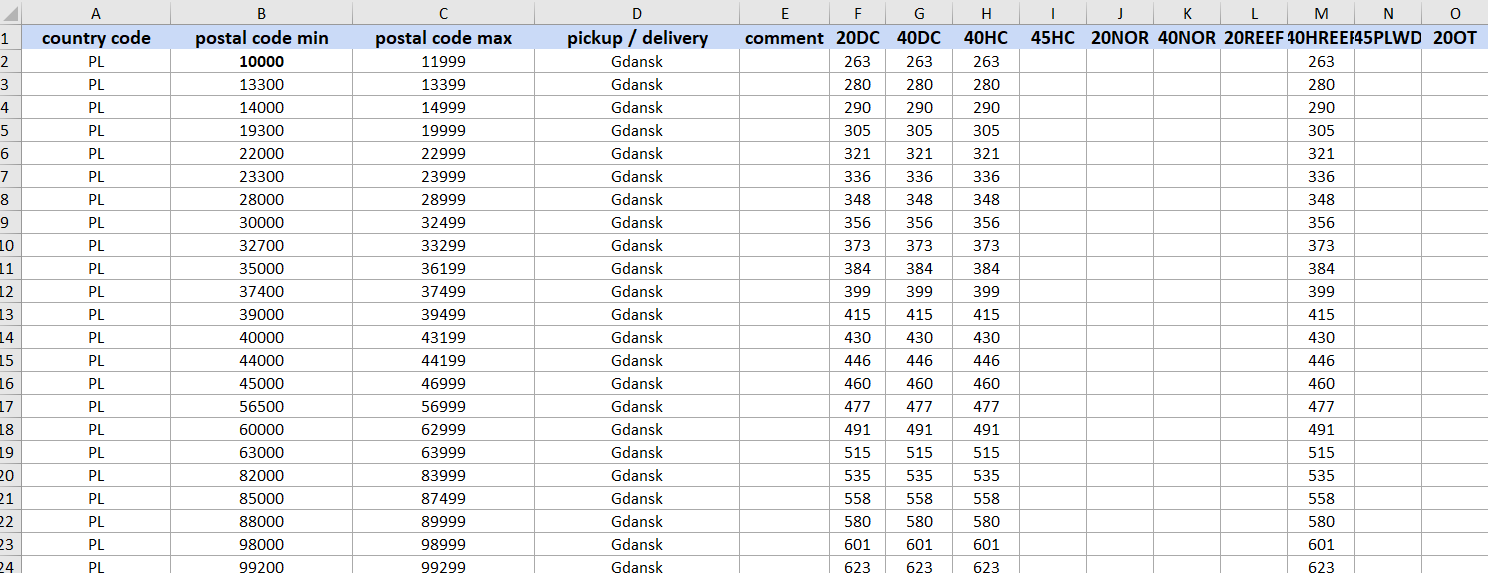
Quotiss checks the distance and zip codes in Google Maps and calculates the rates accordingly.
Once the rates are added, you can proceed to add freight surcharges:
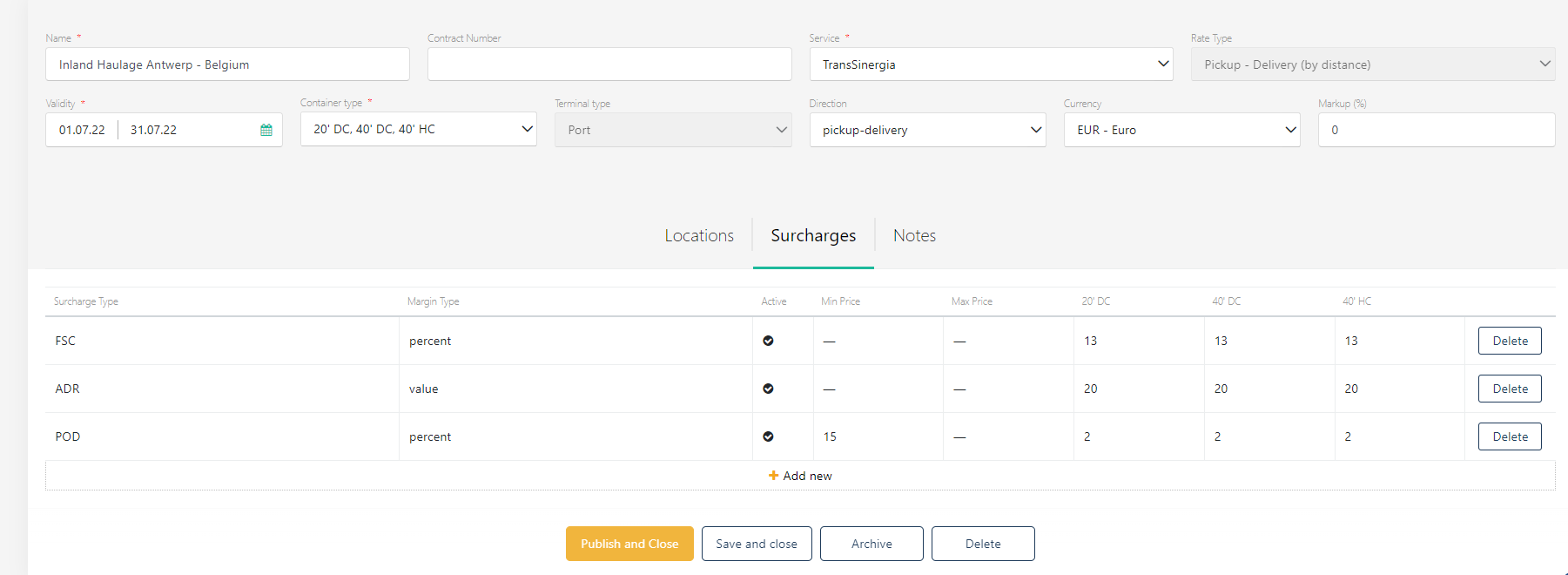
Surcharges can be added as % from freight or as a value. You can set min and max. The list of surcharges to select from is defined in Settings => Surcharge Types
You can also add notes to your contract:
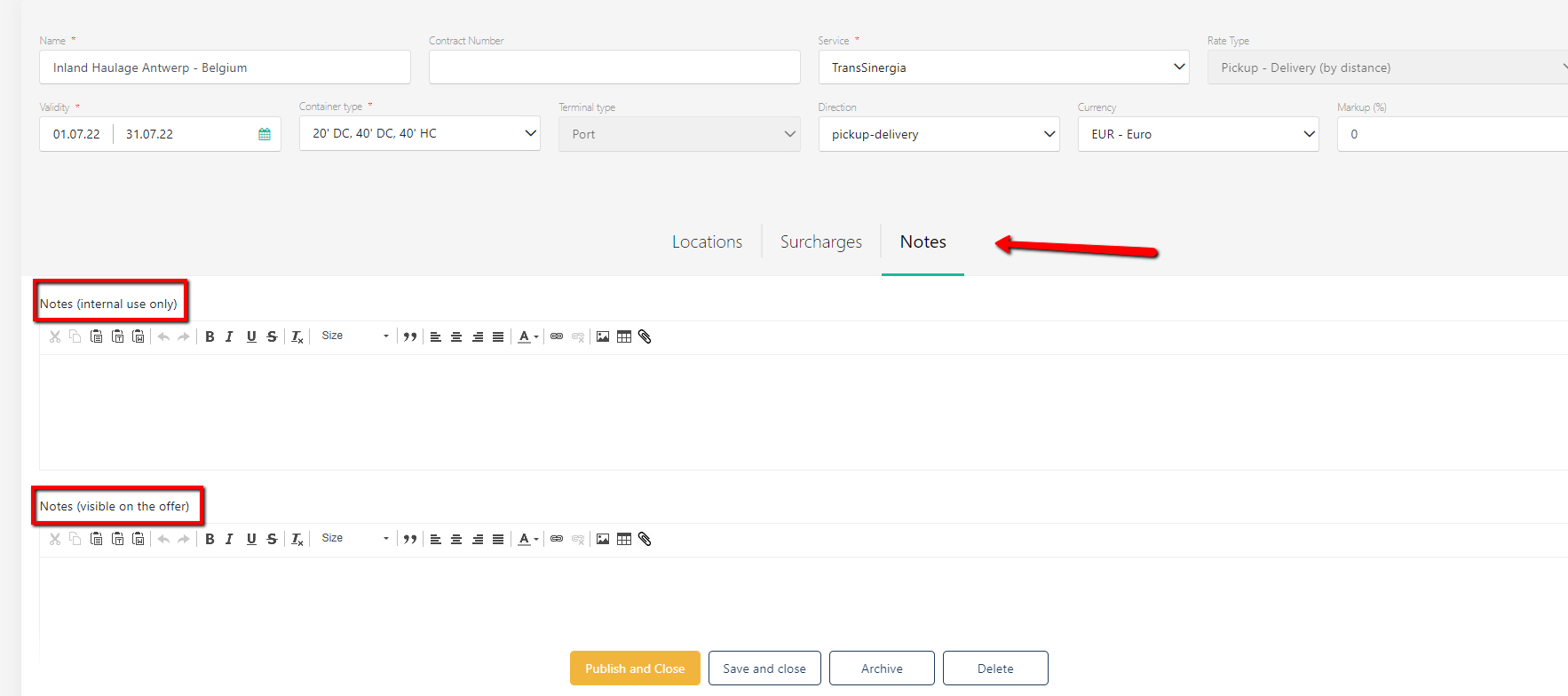
Notes can be internal and external. It can be text, image, table, or a combination of all types.
Publish the contract. Now the inland haulage rates will come automatically in the Charges tab when a zip code / distance that matches the range of the contract is selected in a quote.